
Implementing the Interactions API with Antigravity
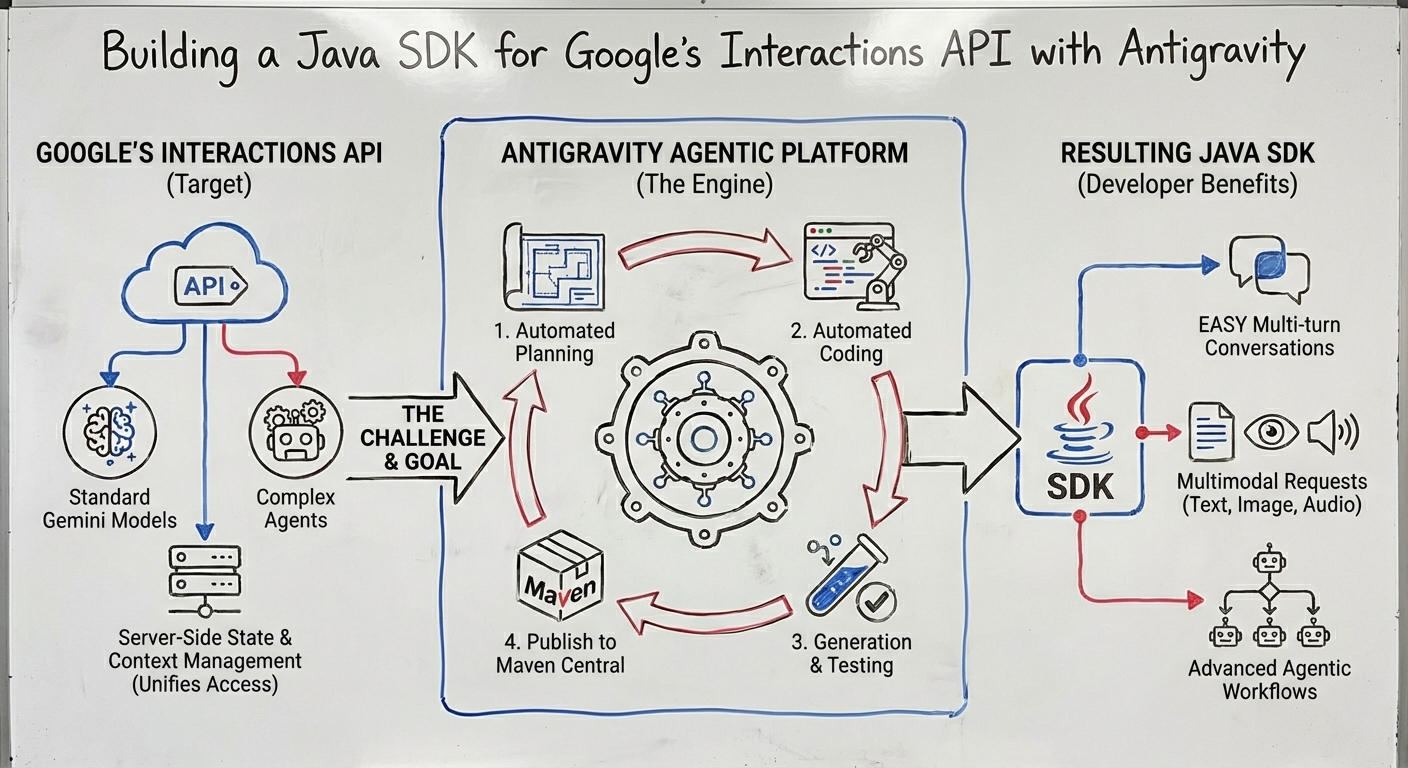
Google and DeepMind have announced the Interactions API, a new way to interact with Gemini models and agents.
Here are some useful links to learn more about this new API:
- An announcement is available on Google’s Keywords blog:
Interactions API: A unified foundation for models and agents - A more detailed article is available on Google’s developers blog:
Building agents with the ADK and the new Interactions API - The newly released Gemini Deep Research agent is now available via the Interactions API as well:
Build with Gemini Deep Research - The official documentation of the Interactions API.
About the Interactions API
The Rationale and Motivation
The Interactions API was introduced to address a shift in AI development, moving from simple, stateless text generation to more complex, multi-turn agentic workflows. It serves as a dedicated interface for systems that require memory, reasoning, and tool use. It provides a unified interface for both simple LLM calls and more complex agent calls.
If you’ve used the Gemini API before, the standard operation (generateContent) was designed for simple request-response tasks.
It was stateless, requiring you to send the entire conversation history with each new question.
As models evolved to incorporate “thinking” processes and advanced tool use (e.g., built-in tools, sequential and parallel function calls),
the classic API approach required extra fields to manage state, such as “thought signatures”.
This new interface and endpoint support both raw models (like Gemini 3 Pro) and fully managed agents
(like the Gemini Deep Research Agent).
The Key Advantages
It simplifies state and context management through server-side history, native handling of agent “thoughts” and data schemas. It supports background processing for long-running tasks (in particular for agents). Furthermore, interoperability with Agent Development Kit (ADK) and Agent2Agent (A2A) protocol is ongoing. Finally, it offers advanced capabilities such as tooling (including Google Search and Code execution), structured JSON outputs, Model Context Protocol (MCP) support, and native multimodal handling.
Implementing the Interactions API with Antigravity
A Few Words About Antigravity
I decided to put Antigravity, Google’s new agentic development environment, to the test, by pointing Antigravity at the Open API 3 specification of the Interactions API, and iterating with it to come up with a Java implementation.
You can read more about the key aspects of Antigravity in my colleague, Mete Atamel’s article introducing Antigravity and tips and tricks, as well as his follow-up article on how to customize Antigravity with rules and workflows. And my other colleague, Romin Irani, wrote a great codelab to get you started.
What I find interesting with Antigravity is that it shifts the developer’s perspective. We’re used to having the code editor as our central point of focus and action. But with Antigravity (advertised as an agentic development platform), the main point of entry is the agent manager.
The agent manager has an inbox, with the various ongoing implementation tasks.
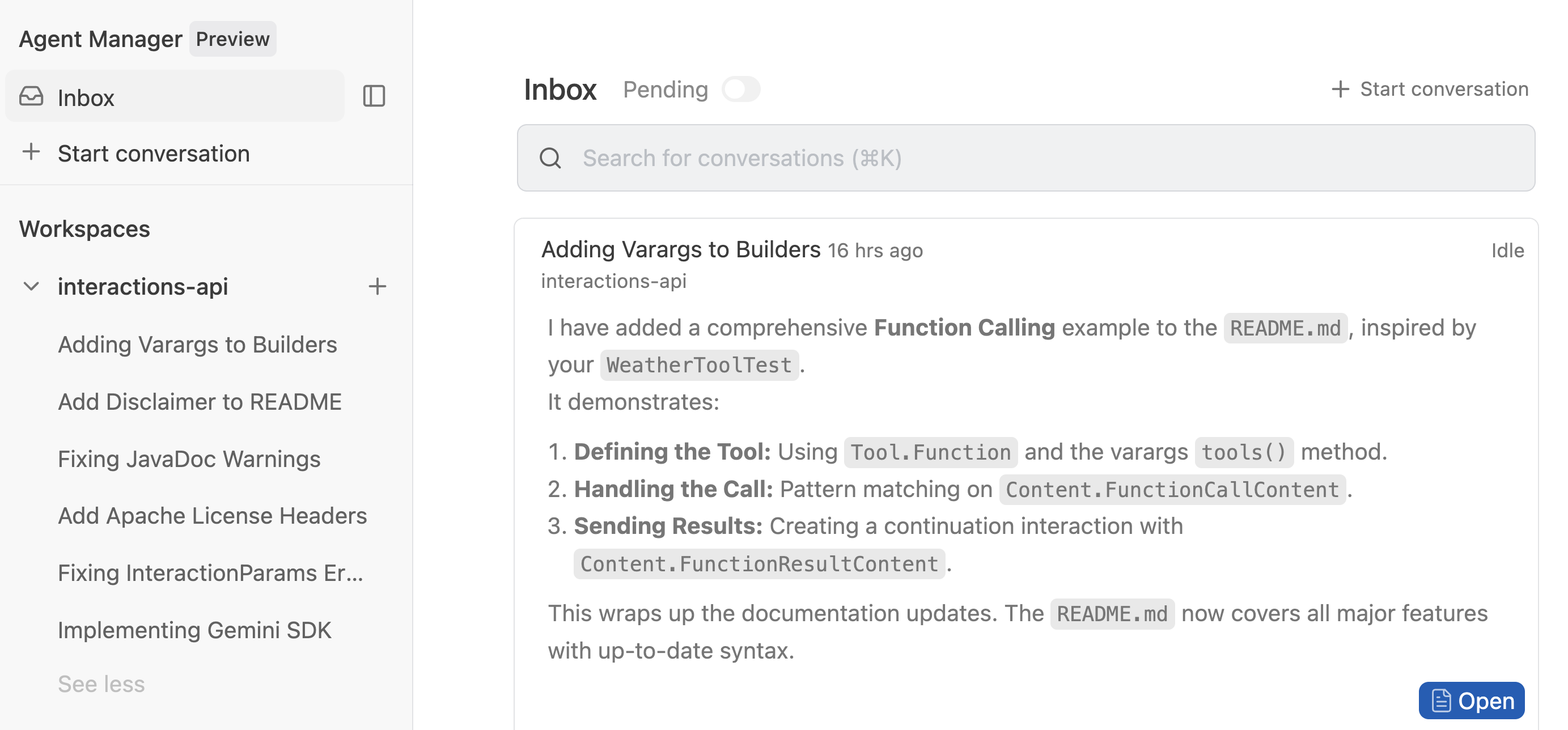
You have workspaces for the different projects you’re working on.
There’s a playground to test ideas, that you can then convert to a proper workspace should the experiment become serious. This is actually through the playground that I started experimenting with the Interactions API.

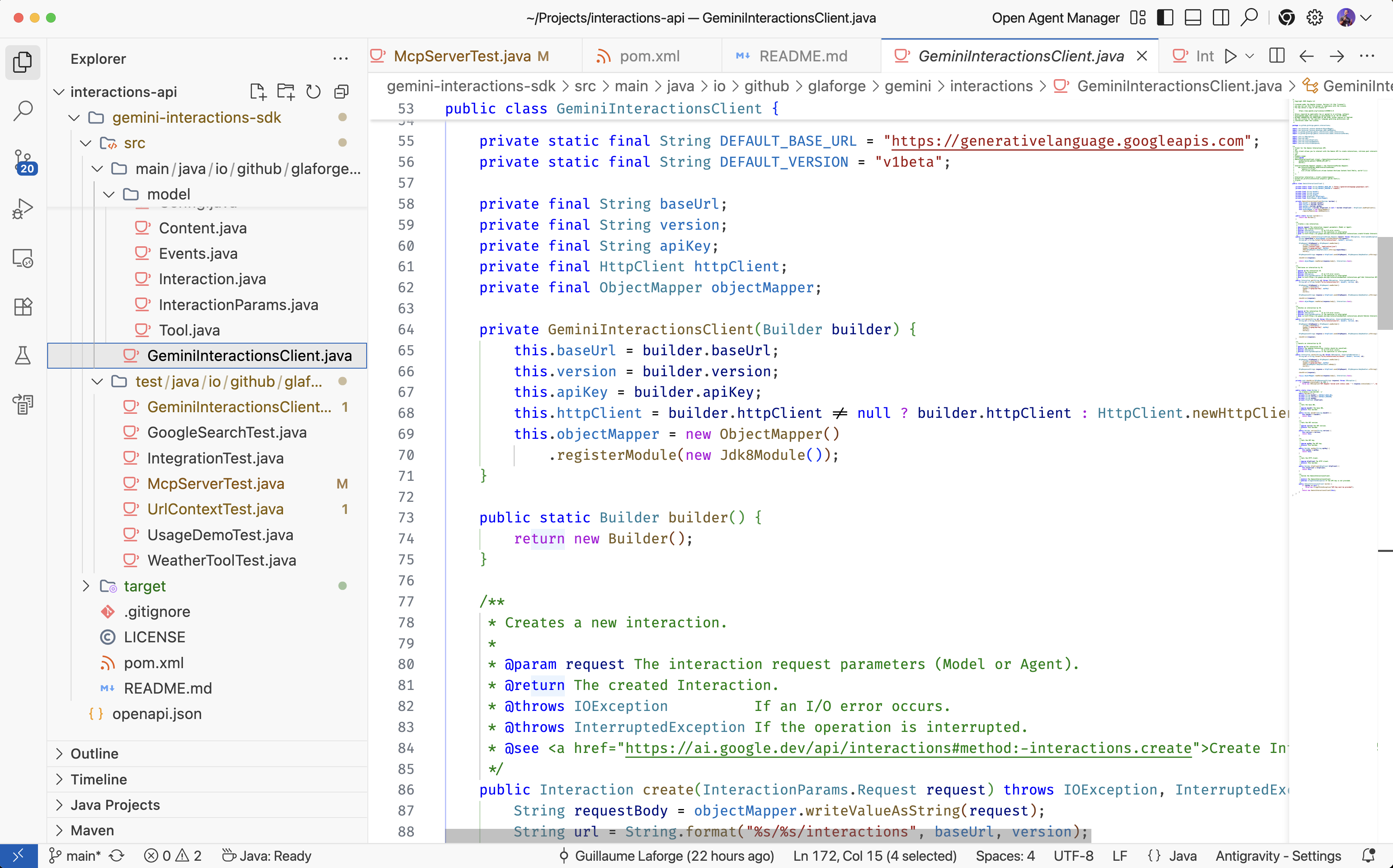
Fear not, you can always switch back to the code editor (a fork of VS Code)! That’s also where you’ll be able to approve/reject code changes suggested by Antigravity.
Another important aspect of Antigravity is that you start with a prompt explaining the task at hand, potentially adding all sorts of context (like screenshots or documents). Then Antigravity is going to create an implementation plan that you can comment and review like in a Google Docs.
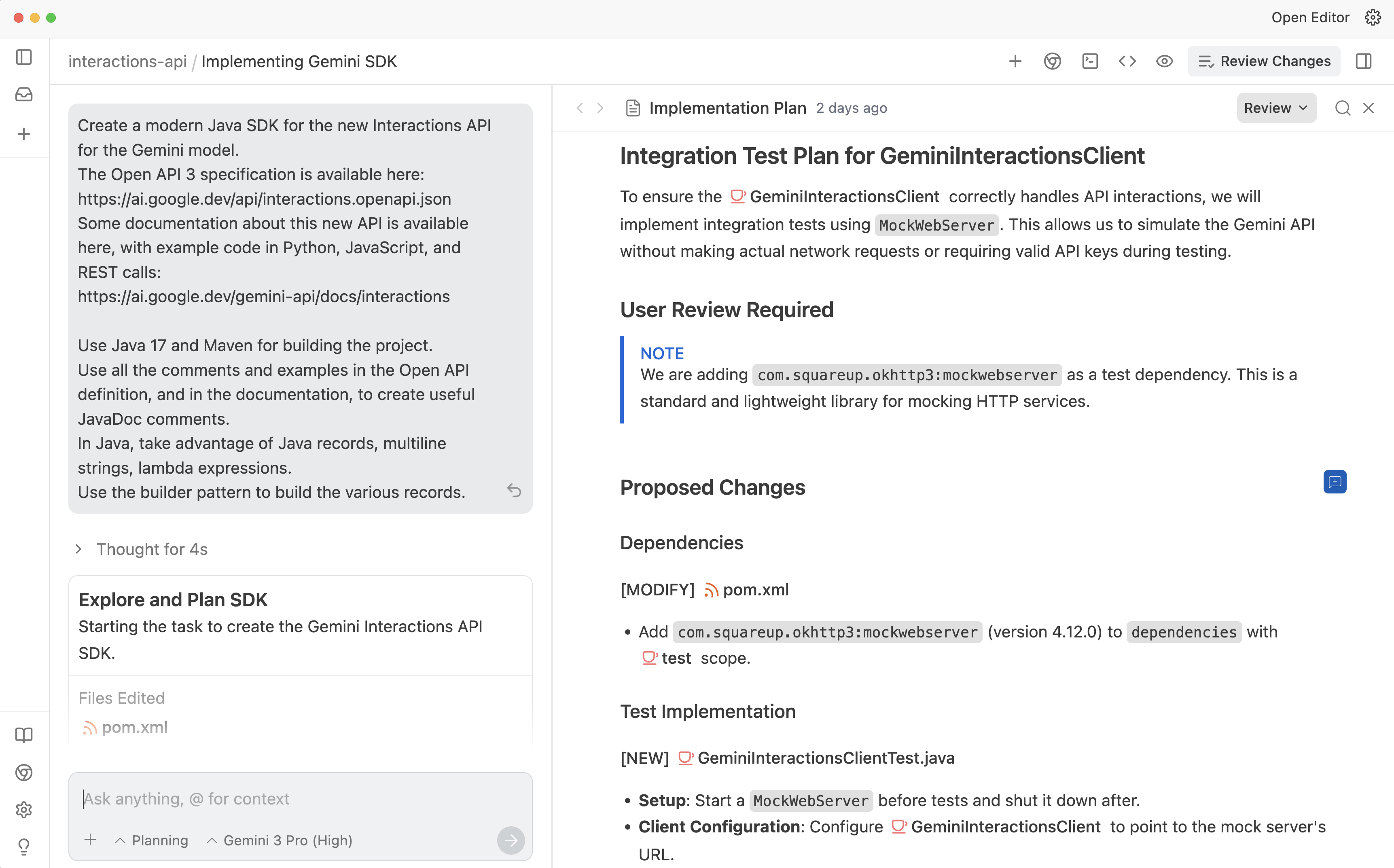
Once you’re happy with the plan, Antigravity will start working for you. Depending on configuration and task complexity, it might request you to approve changes, tool usage, etc.
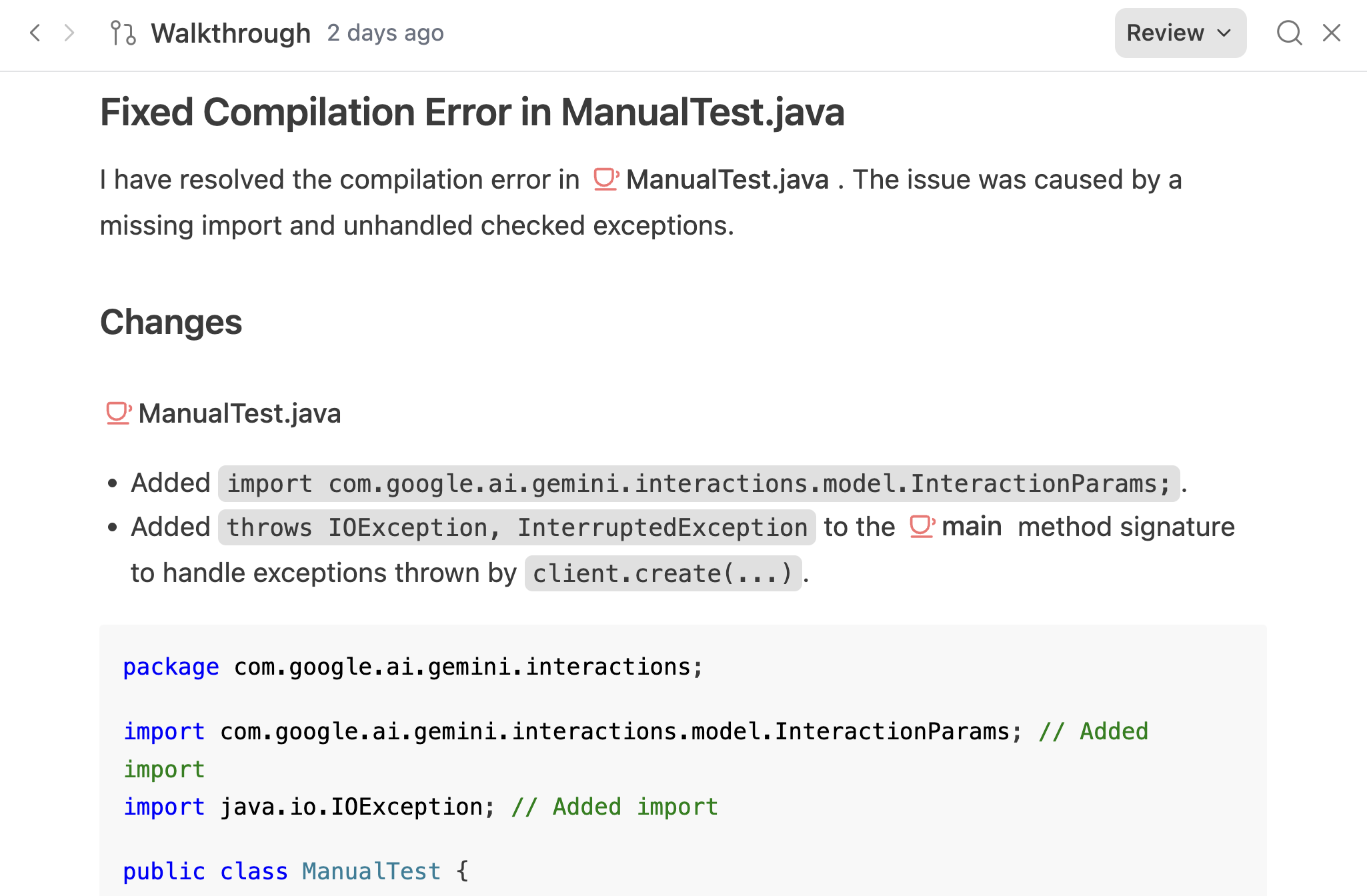
Once the task is accomplished, Antigravity will show you a walkthrough to guide you through the implementation. And as always, it’s still possible to review it, and ask for further modifications or improvements.
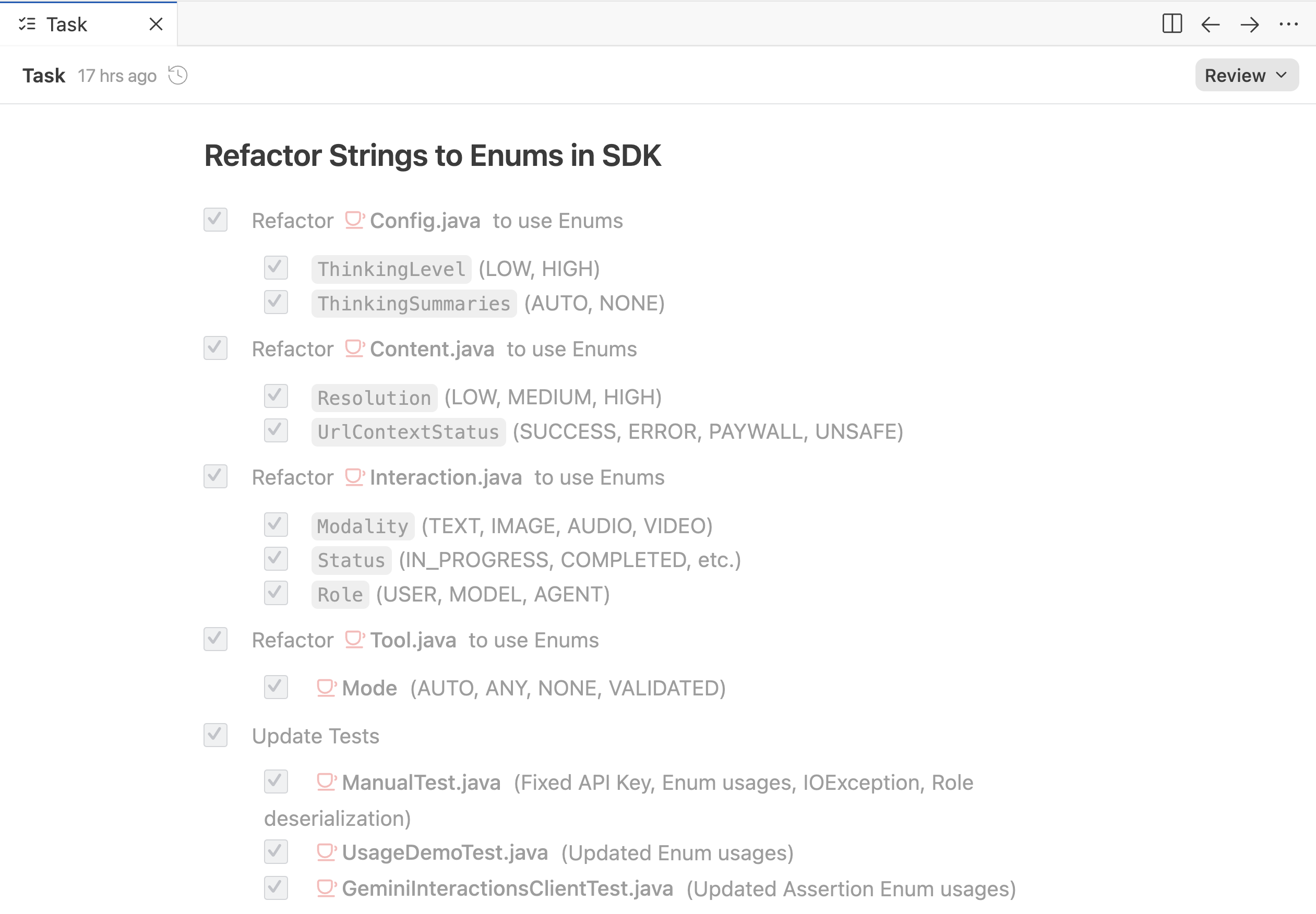
You can also view the task list of all the incremental steps Antigravity went through to implement your requests.
Color Me Impressed!
Honestly, I was quite impressed with Antigravity and Gemini 3 Pro. It successfully implemented an elegant Java API based on the Interactions API’s Open API specification. Then I iterated with Antigravity to further tweak it to my liking, to add tests, to help me deploy the project to Maven Central. Not only it was good at coding and following a plan, but it was very helpful on the command-line for running the build, the deployment commands, etc.
Now Let’s Interact!
Antigravity helped me publish my Java implementation of the Interactions API to Maven Central, guiding me through the creation of public/private keys and the Maven commands required to prepare and perform the release.
You can find my implementation on GitHub. Have a look at the README for usage details, but we’ll go through them together in this article.
Setup and Authentication
In your Java project’s build file, you’ll need to specify the dependency to my SDK.
In your pom.xml if you’re building with Maven:
<dependency>
    <groupId>io.github.glaforge</groupId>
    <artifactId>gemini-interactions-api-sdk</artifactId>
    <version>0.3.0</version>
</dependency>
And in your build.gradle if you’re building with Gradle:
implementation 'io.github.glaforge:gemini-interactions-api-sdk:0.3.0'
And you should export a Gemini API key (that you can get in Google AI Studio) as an environment variable:
export GEMINI_API_KEY=YOUR_API_KEY
Now you’re ready to interact!
Your First Interaction
Instead of just sending a prompt string, we create an Interaction object.
We specify the kind (the model or agent we want to talk to) and the parameters (our prompt).
Let’s make a simple call to Gemini (I’ll spare you the imports):
// Create a client with your API key
GeminiInteractionsClient client = GeminiInteractionsClient.builder()
        .apiKey(System.getenv("GEMINI_API_KEY"))
        .build();

// Create the interaction, choosing a model, and passing the prompt in input
Interaction response = client.create(ModelInteractionParams.builder()
        .model("gemini-2.5-flash")
        .input("Why is the sky blue?")
        .build());

// The output is multimodal, so let's see if there's text, image, or thoughts in output
response.outputs().forEach((Content output) -> {
    switch (output) {
        case TextContent text -> System.out.println(text.text());
        case ImageContent image -> System.out.println(image.data());
        case ThoughtContent thought -> System.out.println("Thought: " + thought.signature());
        default -> System.out.println("Unknown content type: " + output);
    }
});
This is a synchronous call, so you’ll be waiting for it to finish generating its answer.
A Multi-turn conversation
When not taking advantage of the statefulness of the Interactions API, you can still do multi-turn conversations:
ModelInteractionParams request = ModelInteractionParams.builder()
    .model("gemini-2.5-flash")
    .input(
        new Turn(USER, "Hello!"),
        new Turn(MODEL, "Hi! How can I help?"),
        new Turn(USER, "Tell me a joke")
    )
    .build();

Interaction response = client.create(request);
A Multimodal request
The Interactions API handles multimodal requests, mixing text, images, audio, videos, etc:
ModelInteractionParams request = ModelInteractionParams.builder()
    .model("gemini-2.5-flash")
    .input(
        new TextContent("Describe this image"),
        // Create an image from Base64 string
        new ImageContent("BASE64_STRING...", "image/png")
    )
    .build();

Interaction response = client.create(request);
Creating an Image with Nano Banana Pro 🍌
I’m a big fan of the Nano Banana model for creating and editing images. You can easily invoke it as well:
ModelInteractionParams request = ModelInteractionParams.builder()
    .model("gemini-3-pro-image-preview")
    .input("Create an infographic about blood, organs, and the circulatory system")
    .responseModalities(Modality.IMAGE)
    .build();

Interaction response = client.create(request);

response.outputs().forEach(content -> {
    if (content instanceof ImageContent image) {
        byte[] imageBytes = Base64.getDecoder().decode(image.data());
        // Save imageBytes to a file
    }
});
Function Calling
You can pass tools to your model to let it request its use for achieving its goal. This example is a little bit more involved, of course, as it sets up a method and handles the back and forth exchange:
// 1. Define the tool, its name, description, and input schema as simple Maps
Function weatherTool = Function.builder()
    .name("get_weather")
    .description("Get the current weather")
    .parameters(
        Map.of(
            "type", "object",
            "properties", Map.of(
            "location", Map.of("type", "string")
        ),
        "required", List.of("location")
    )
    .build();

// 2. Initial request with tools
ModelInteractionParams request = ModelInteractionParams.builder()
    .model("gemini-2.5-flash")
    .input("What is the weather in London?")
    .tools(weatherTool)
    .build();

Interaction interaction = client.create(request);

// 3. Handle function call
Content lastOutput = interaction.outputs().getLast();
if (lastOutput instanceof FunctionCallContent call) {
    if ("get_weather".equals(call.name())) {
        String location = (String) call.arguments().get("location");
        // Execute local logic...
        String weather = "Rainy, 15°C"; // Simulated result

        // 4. Send Function Result
        ModelInteractionParams continuation = ModelInteractionParams.builder()
            .model("gemini-2.5-flash")
            // Passing previous interaction ID instead of the whole conversation
            .previousInteractionId(interaction.id())
            .input(new FunctionResultContent(
                "function_result",
                call.id(),
                call.name(),
                false,
                Map.of("weather", weather)
            ))
            .build();

        Interaction finalResponse = client.create(continuation);
        System.out.println(finalResponse.outputs().getLast());
    }
}
My SDK is fairly bare-bone and doesn’t handle automatic function calling like the Gemini SDK does, or LangChain4j, etc. But it could be a possible enhancement.
In the code, notice how it handles the session state. Instead of passing the whole conversation again when replying with the tool response, we actually pass only the interaction ID of the previous call. Hence, state is handled on the server side!
Deep Research
An important aspect of the Interactions API is its ability to call agents, and not just models. The Deep Research agent is the first to implement the Interactions API. This is the research agent you may be familiar with from the Gemini web app, used to create long and detailed reports. This time we’re going to create an agent interaction instead of a model interaction:
AgentInteractionParams request = AgentInteractionParams.builder()
    .agent("deep-research-pro-preview-12-2025")
    .input("Research the history of the Google TPUs")
    .build();

Interaction interaction = client.create(request);

// Poll for completion
while (interaction.status() != Status.COMPLETED) {
    Thread.sleep(1000);
    interaction = client.get(interaction.id());
}

System.out.println(interaction.outputs());
This is an asynchronous task, so you have to wait for its completion by polling. You can also steer the output report generation by further customizing your prompt, suggesting a particular report structure.
Model Context Protocol
The Interactions API comes with built-in MCP (Model Context Protocol) support. And by support, I mean that it handles the MCP call itself.
A few caveats to be aware of:
- Currently, it can only call remote MCP servers (not local STDIO ones), and only Streamable HTTP servers are supported (Server-Sent Events are deprecated anyway).
- Currently, it works with Gemini 2.5, but not with Gemini 3 Pro.
- MCP server names shouldn’t contain a
-in their name, as this character is reserved for namespacing function calls with the name of the server (i.e.moon_server-current_moon_phasewithmoon_serverbeing the server name, andcurrent_moon_phasethe function name.) So favor underscores for clearer names.
// 1. Define the MCP Server tool
String serverName = "moon_server";
String serverUrl = "https://mn-mcp-server-1029513523185.europe-west1.run.app/mcp";

Tool mcpServer = new Tool.McpServer(serverName, serverUrl);
List<Tool> tools = List.of(mcpServer);

// 2. Create Interaction
ModelInteractionParams createParams = ModelInteractionParams.builder()
    .model("gemini-2.5-flash")
    .input("What is the current phase of the moon?")
    .tools(tools)
    .build();

// 3. Make the Request
Interaction response = client.create(createParams);

// 4. Then Analyze the Response...
Wrapping up
The Interactions API unifies the way we handle both fast inference (standard models) and slow thinking (agents). By generating this SDK, and iterating on it with Antigravity, I’ve tried to make it as easy as possible to integrate these new capabilities into Java applications.
Note that this is not (yet?) a production-grade SDK; it’s the result of a few hours of experimentation and would benefit from further refinement. But I was very happy with the outcome, as I was able to quickly experiment with this new API in Java.
Check out the README for more configuration details and examples.