
Zero Boilerplate Java STDIO MCP Servers with LangChain4j and JBang
By now, you’re certainly all familiar with the Model Context Protocol (MCP)? It’s the standard for connecting Large Language Models (LLMs) to tools and data. But if you look at the current ecosystem, you’ll see a lot of Python and TypeScript…
As a Java developer, you might be wondering: How can I easily and quickly run my own MCP servers?
On this blog, I’ve explained how to develop MCP servers with Quarkus and Micronaut. But thanks to a recent community contribution to LangChain4j, and the simplicity of JBang, building a local MCP server in Java is even easier and with zero boilerplate.
In this post, we’ll build a standalone Java MCP server that runs over STDIO, perfect for local integration with tools like the Gemini CLI or other locally running agentic tools supporting MCP servers.
The Stack: Why This Matters
To keep things lightweight, we’re using two powerful tools:
- LangChain4j: The leading framework for building AI-powered Java applications. It now includes a dedicated MCP server module for the STDIO protocol (in addition to the existing MCP client module.)
- JBang:
A tool that lets you run Java files as scripts.
No
pom.xml, no Gradle builds, just a single.javafile with your dependencies declared right at the top.
The key requirement here is that you’ll need to install JBang if you haven’t already.
The Code: A Standalone MCP Server
Here is a complete, runnable MCP server in a single Java file. This server exposes a “Calculator” tool to any MCP-compatible LLM.
No build file, no project directory structure or anything. Just a single Java file.
///usr/bin/env jbang "$0" "$@" ; exit $?
//DEPS dev.langchain4j:langchain4j-core:1.11.0
//DEPS dev.langchain4j:langchain4j-community-mcp-server:1.11.0-beta19
//DEPS org.slf4j:slf4j-simple:2.0.17
//JAVA 21

import dev.langchain4j.agent.tool.Tool;
import dev.langchain4j.community.mcp.server.McpServer;
import dev.langchain4j.community.mcp.server.transport.StdioMcpServerTransport;
import org.slf4j.Logger;
import org.slf4j.LoggerFactory;

import java.util.List;
import java.util.concurrent.CountDownLatch;

public class McpToolServer {

    static {
        // Important: Redirect logs to System.err
        System.setProperty("org.slf4j.simpleLogger.logFile",
                           "System.err");
    }

    private static final Logger log =
            LoggerFactory.getLogger(McpToolServer.class);

    public static void main(String[] args) throws Exception {
        log.info("Starting LangChain4j MCP Server...");

        // 1. Define your tools
        CalculatorTools tools = new CalculatorTools();

        // 2. Wrap them in an McpServer
        McpServer server = new McpServer(List.of(tools));

        // 3. Connect to the STDIO transport
        StdioMcpServerTransport transport =
                new StdioMcpServerTransport(server);

        log.info("MCP Server started successfully on STDIO.");

        // Keep the script alive
        new CountDownLatch(1).await();
    }

    // Define MCP tools
    public static class CalculatorTools {
        @Tool("Calculates the sum of two numbers")
        public double add(double a, double b) {
            log.info("Called add({}, {})", a, b);
            return a + b;
        }

        @Tool("Calculates the square root of a number")
        public double sqrt(double x) {
            log.info("Called sqrt({})", x);
            return Math.sqrt(x);
        }
    }
}
Breaking It Down
- JBang Directives:
The
//DEPSlines at the top handle all your dependencies. When you run this file, JBang downloads everything automatically (like Groovy’s @Grab annotation). - The
@ToolAnnotation: Any public method annotated with LangChain4j’s@Toolannotation is automatically converted into a JSON-RPC tool specification that the LLM can understand. StdioMcpServerTransport: Most local MCP clients communicate via Standard Input/Output. This transport layer handles the JSON-RPC handshake for you.
The “Secret Sauce”: Logging to System.err
There is one critical rule for MCP servers running over STDIO: System.out is for communication ONLY.
I could have reduced the size of the example above almost by half by removing all the logging code. But it’s important to highlight it, if you want to be able to somehow log information along the way.
The MCP protocol uses stdout to send JSON-RPC messages back and forth.
If your application (or a library) prints a generic INFO: Hello World to stdout,
it will corrupt the JSON stream and crash the connection.
That’s why we use this static block:
static {
    System.setProperty("org.slf4j.simpleLogger.logFile", "System.err");
}
By forcing all logs to stderr, we keep the communication channel clean while still being able to see our logs in the terminal.
Testing Your Server
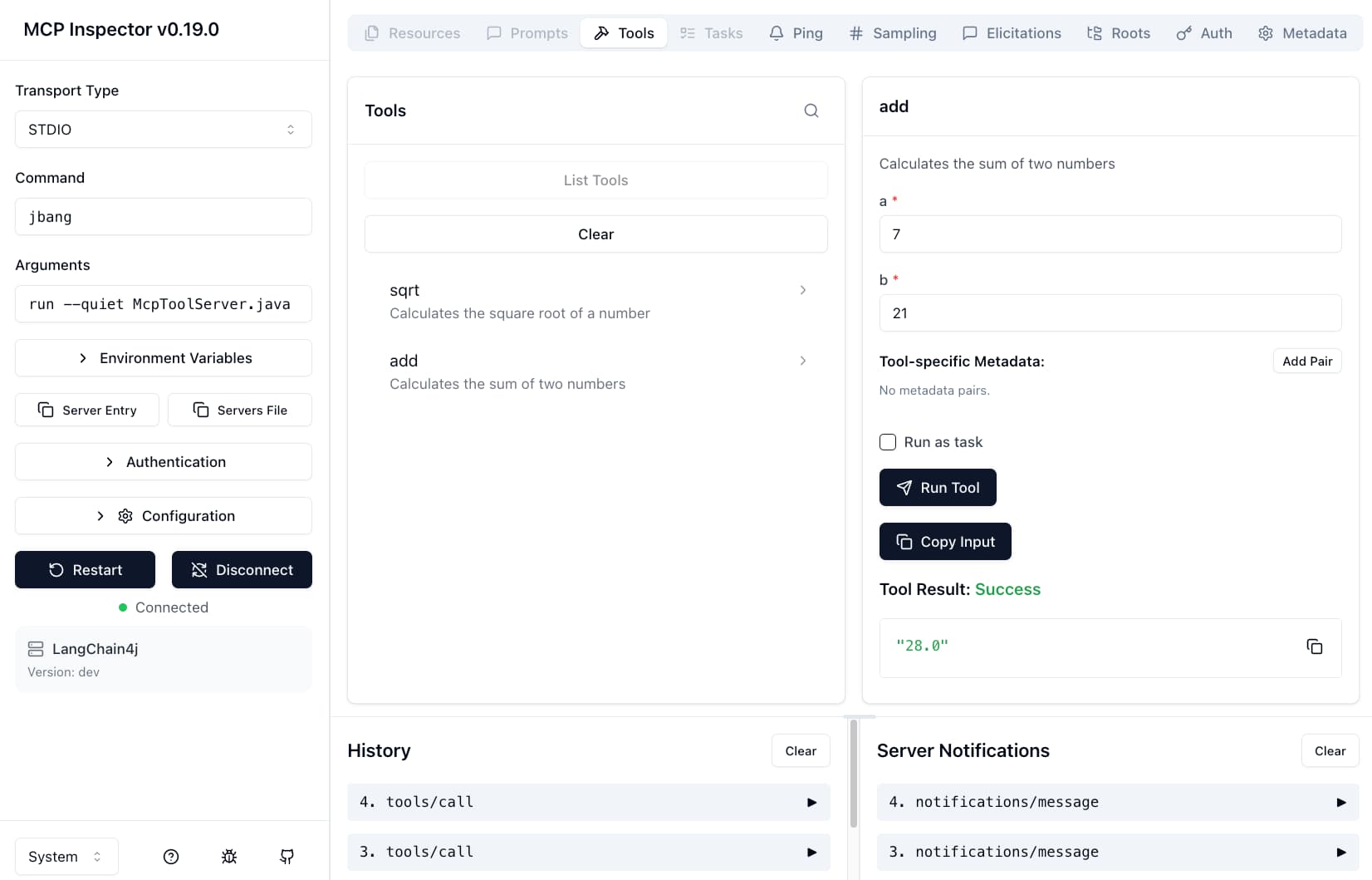
Before you plug it into an LLM, you can test it using the MCP Inspector. It’s a handy web UI that lets you see exactly what’s happening under the hood.
Run your server with the following command:
npx @modelcontextprotocol/inspector jbang run --quiet McpToolServer.java
- You’ll need to have
npxinstalled to run the MCP inspector. - The
--quietflag tells JBang to stop printing build messages to stdout! We don’t want JBang to interfere with the STDIO protocol either!
Once the inspector is running, you can click to connect to the server, list the tools, select a tool, all in your browser, and watch your Java code execute in real-time.
Running it in Gemini CLI
To let Gemini use your new tool, add it to your ~/.gemini/settings.json:
{
  "mcpServers": {
    "java-calc": {
      "command": "jbang",
      "args": ["run", "--quiet", "/path/to/McpToolServer.java"]
    }
  }
}
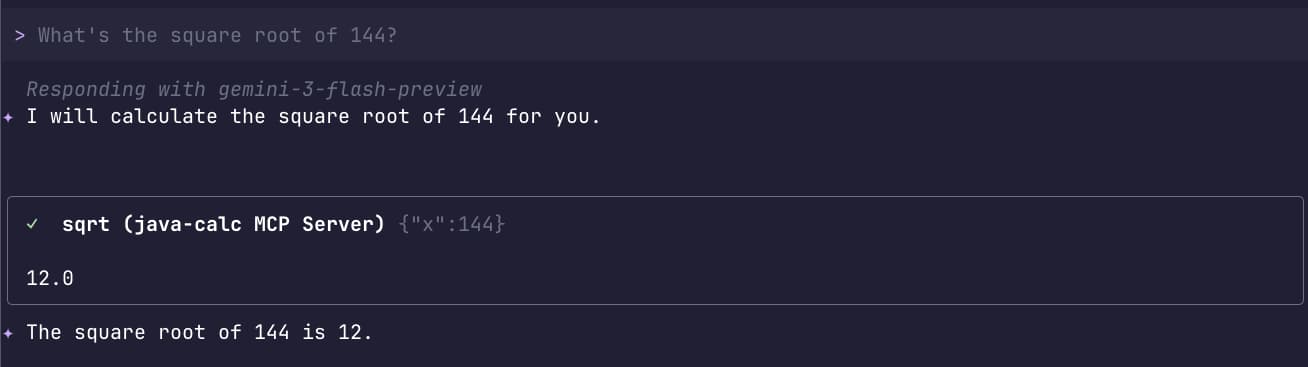
Now, when you ask Gemini “What is the square root of 144?”, it will reach out to your JBang script, execute the Java method, and give you the answer.
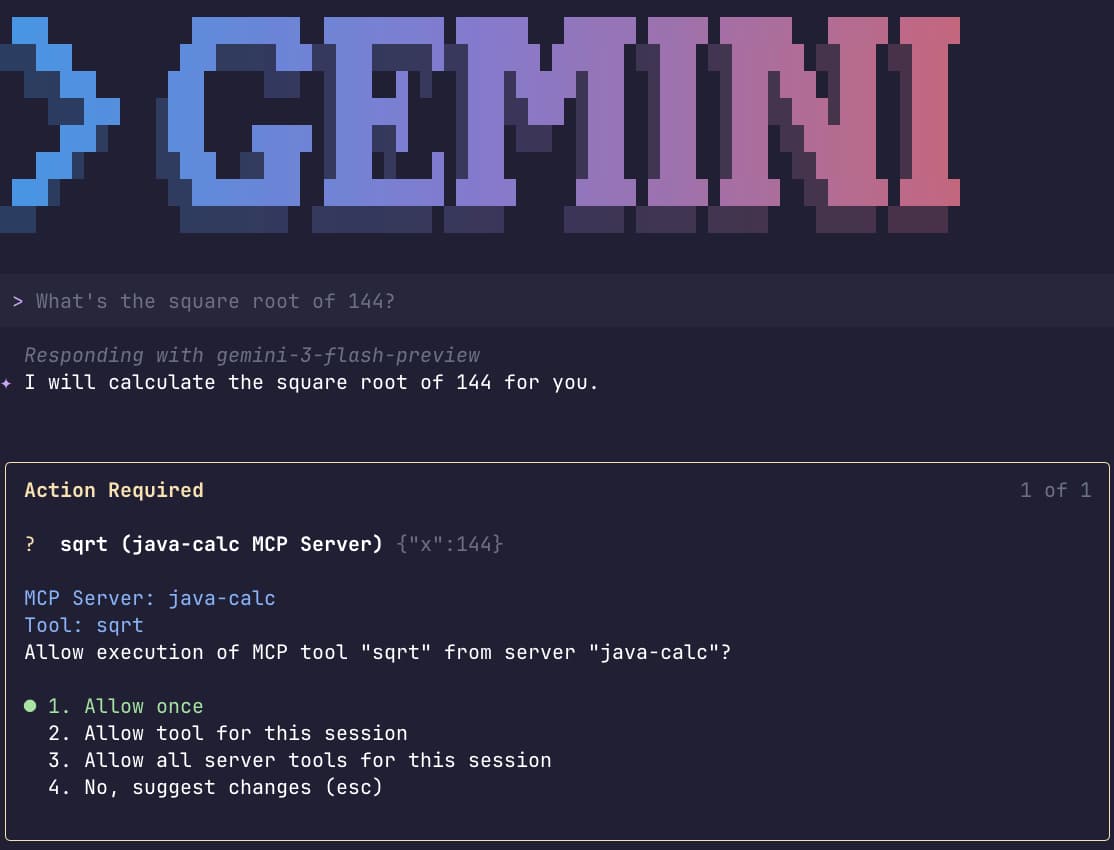
Well… maybe it won’t call the tool because the LLM already knows the answer to such a simple question 😃 thanks to its training data and understanding of simple math, but for more specific and complex tools, it should be called! In my case, it actually figured out it should call it. And the response seems correct to me 😃
Wrapping Up
Building MCP servers doesn’t have to be complex. With LangChain4j and JBang, you get the best of both worlds: the power of the Java ecosystem with the agility of a scripting language!
So next time you need to give an LLM access to a legacy Java library or a complex calculation, remember:
you’re only one @Tool annotation away.
Java developers can be as agile as all the script kiddies! Happy MCP server coding!