
Easily Build a Local MCP Server in Java with a Skill inside Gemini CLI
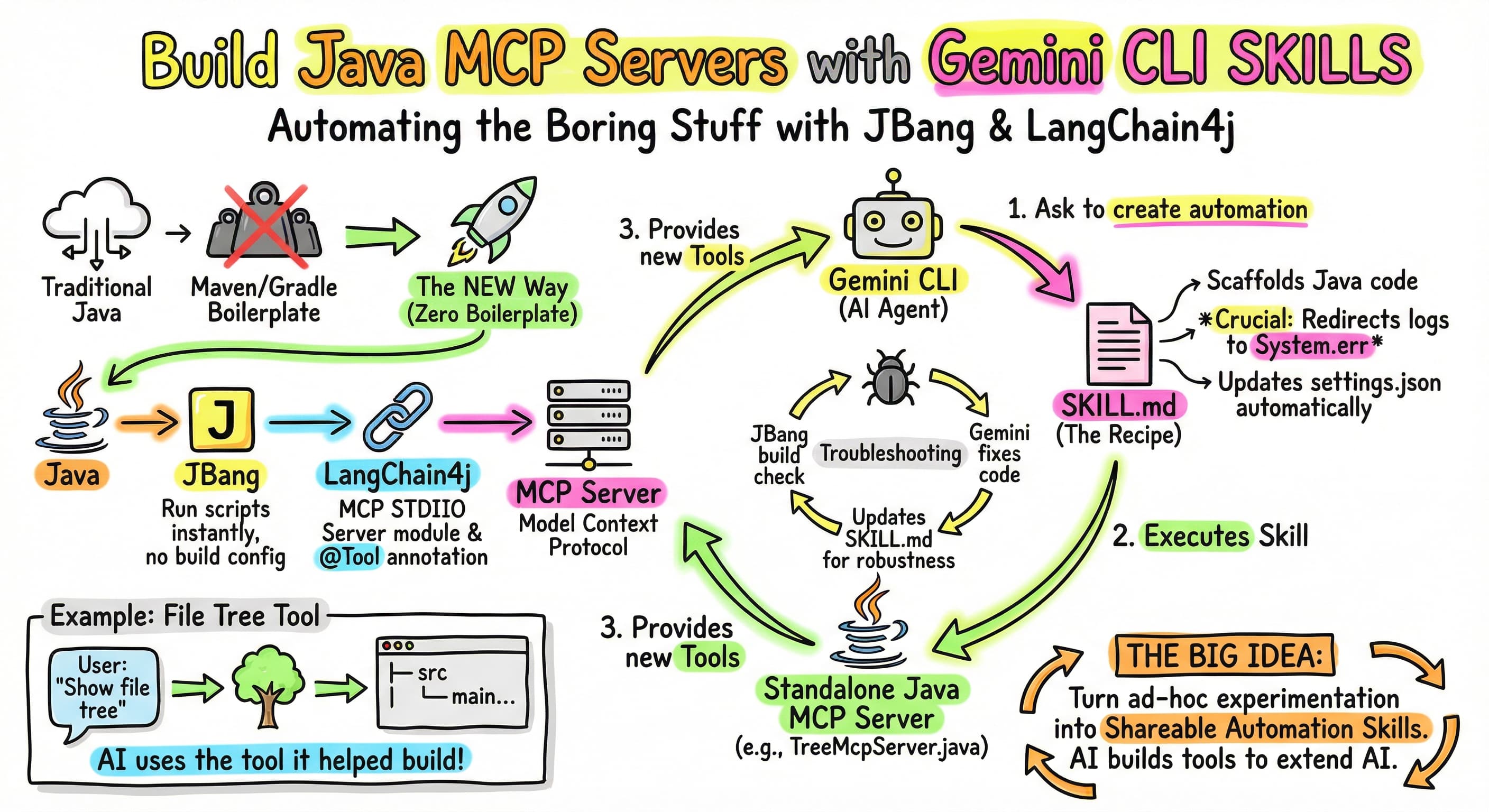
Recently, I’ve been exploring the Model Context Protocol (MCP) and how to easily create custom servers to extend the capabilities of AI assistants like Gemini CLI which I use daily.
I wanted a way to build these servers in Java without the heavy boilerplate of a traditional Maven or Gradle project, or with a complex framework. The solution? Combining JBang, LangChain4j, and… 🥁… a custom Gemini CLI skill!
In this post, I’ll walk you through how I streamlined the creation of MCP STDIO servers,
by creating an agent SKILL.md to replicate what I had learned in my previous article.
The Recap: JBang and LangChain4j
In that article I wrote recently, JBang was perfect for writing and running self-contained Java scripts. It automatically handles dependencies and JVM execution, making it perfect for lightweight MCP servers. No need for a directory structure, for build files, or pre-compilation.
LangChain4j’s recent
release
provided the langchain4j-community-mcp-server
module,
which allows you to create STDIO MCP servers, without the need for a server framework.
By simply annotating a method of a Java class with @Tool, we can expose some useful tool to an LLM.
The critical requirement for an MCP STDIO server is ensuring that JSON-RPC communication over System.out remains uncorrupted.
This means all logging must be redirected to System.err.
But to create and install a new MCP server, I had to do a fair bit of copy and paste, and a bit of scaffolding. That’s how I came up with the 💡 idea of creating an agent skill to simplify this task!
Step 1 — Automating with a Skill for Gemini CLI
Instead of writing the boilerplate manually every time, I first created a custom Gemini CLI skill (jbang-mcp-server.skill).
To do this efficiently, I leveraged Gemini CLI’s own skill-creator skill,
which is designed to bootstrap new capabilities for the agent.
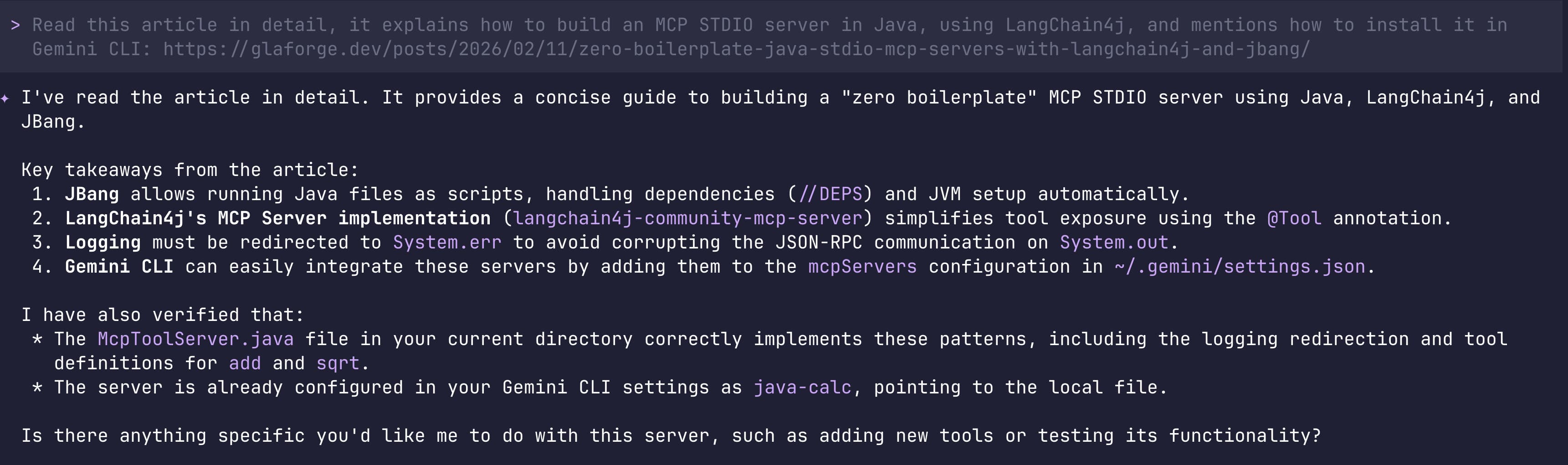
I fed the skill creator the whole article mentioned above,
and it produced the following SKILL.md file to act as a specialized “generator”
for automating the repetitive parts of building and installing Java-based MCP servers:
Click to view the generated SKILL.md
---
name: jbang-mcp-server
description: Scaffolds and installs zero boilerplate Java-based MCP STDIO servers using JBang and LangChain4j for Gemini CLI. Use this to quickly bootstrap an MCP server from scratch.
---

# JBang LangChain4j MCP Server Creator

This skill helps quickly scaffold a new Java-based MCP STDIO server using JBang and LangChain4j, and installs it into Gemini CLI's `settings.json`.

## Process

1.  **Ask User for Details:**
    *   Desired file name (e.g., `McpToolServer.java`) and path to save it.
    *   The name of the server to register in `~/.gemini/settings.json` (e.g., `java-calc`).
    *   (Optional) High-level description of the tools they want to add initially.

2.  **Scaffold the Server:**
    *   Read the template file located at `assets/McpServerTemplate.java` using the `read_file` tool. Note that the path to `assets/McpServerTemplate.java` needs to be resolved relative to the skill directory or read from the skill's bundled assets. As an alternative if the absolute path is unknown, directly write out the template contents described below.
    *   Replace `{SERVER_CLASS_NAME}` with the base name of the requested Java file (e.g., `McpToolServer` if file is `McpToolServer.java`).
    *   Replace `{TOOL_CLASS_NAME}` with a related name (e.g., `MyTools`).
    *   (Optional) Modify the `@Tool` annotated methods to reflect the user's requirements.
    *   Write the finalized content to the user's requested path using the `write_file` tool.
    *   Make the file executable using `chmod +x <path_to_file>` via `run_shell_command`.

3.  **Verify the Server:**
    *   Run jbang build <path_to_file> using the run_shell_command tool to check for any compilation errors.
    *   If there are compilation errors, use the `replace_tool` to fix them.
    *   Repeat the compilation check until successful.

4.  **Install the Server in Gemini CLI:**
    *   Read `~/.gemini/settings.json`.
    *   Use the `replace` tool or jq via `run_shell_command` to inject a new entry under `mcpServers`.
    *   The new entry should look like this:
        ```json
        "{server_name}": {
          "command": "jbang",
          "args": [
            "run",
            "--quiet",
            "{absolute_path_to_java_file}"
          ]
        }
        ```
    *   Inform the user that the server has been created and configured, and remind them that Gemini CLI automatically reloads configurations.

## Template Backup
If `assets/McpServerTemplate.java` cannot be read, use this template:
```java
///usr/bin/env jbang "$0" "$@" ; exit $?
//DEPS dev.langchain4j:langchain4j-core:1.11.0
//DEPS dev.langchain4j:langchain4j-community-mcp-server:1.11.0-beta19
//DEPS org.slf4j:slf4j-simple:2.0.17
//JAVA 21

import dev.langchain4j.agent.tool.Tool;
import dev.langchain4j.community.mcp.server.McpServer;
import dev.langchain4j.community.mcp.server.transport.StdioMcpServerTransport;
import org.slf4j.Logger;
import org.slf4j.LoggerFactory;

import java.util.List;
import java.util.concurrent.CountDownLatch;

public class {SERVER_CLASS_NAME} {

    static {
        // Configure SLF4J Simple Logger to write to System.err
        // This is crucial for MCP servers over STDIO to avoid polluting stdout
        System.setProperty("org.slf4j.simpleLogger.logFile", "System.err");
    }

    private static final Logger log = LoggerFactory.getLogger({SERVER_CLASS_NAME}.class);

    public static void main(String[] args) throws Exception {
        log.info("Starting LangChain4j MCP Server...");

        // Instantiate tools
        {TOOL_CLASS_NAME} tools = new {TOOL_CLASS_NAME}();

        // Create Server
        McpServer server = new McpServer(List.of(tools));

        // Start Transport
        StdioMcpServerTransport transport = new StdioMcpServerTransport(server);

        log.info("MCP Server started successfully on STDIO.");

        // Keep Alive
        new CountDownLatch(1).await();
    }

    // --- Tool Definition ---
    public static class {TOOL_CLASS_NAME} {

        @Tool("Description of your tool")
        public String sampleTool(String input) {
            log.info("Called sampleTool with {}", input);
            return "Processed: " + input;
        }
    }
}
Key Rules
- Logging: JBang STDIO servers MUST write all logs to
System.errto avoid polluting the JSON-RPC standard output stream. This is already handled in the template viaSystem.setProperty("org.slf4j.simpleLogger.logFile", "System.err");but ensure this is maintained if modifying the file structure. - Dependencies: The template relies on LangChain4j and slf4j-simple. Do not remove the
//DEPSdirectives at the top of the template.
Along the way, Gemini CLI asked me a few questions, like how to name the skill, the Java class, etc. And of course, it also asked me for permission to create that skill:
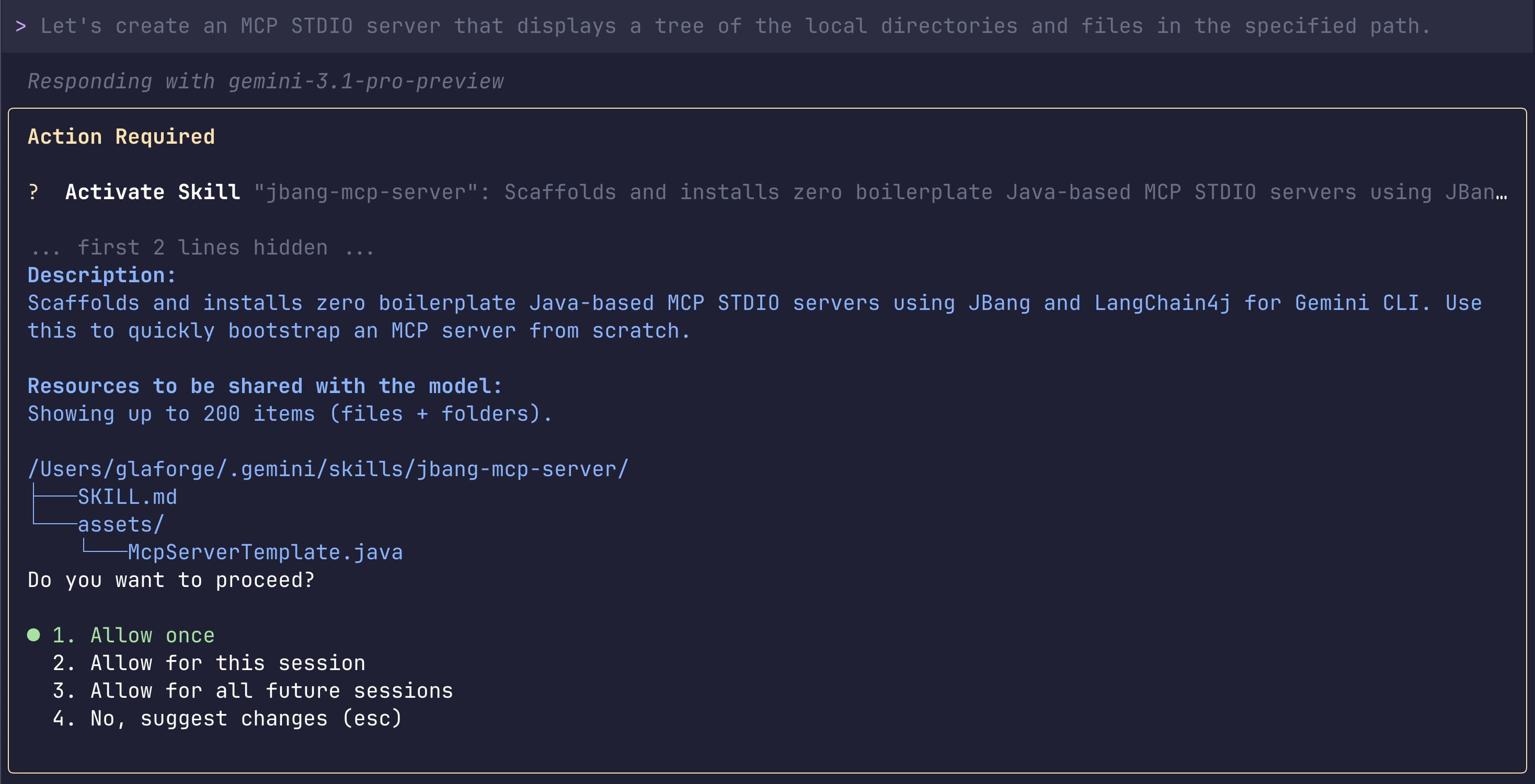
Once installed, I could check that the skill was available in my Gemini CLI session:

Here is how the skill works and why it’s useful:
Zero-Boilerplate Scaffolding
When triggered, the skill creates a standalone Java file that is immediately ready to run as a script. It automatically includes:
- JBang Directives:
//DEPSand//JAVAlines so you don’t need apom.xmlorbuild.gradle. - MCP Server Setup: The boilerplate code required to initialize the
McpServerand connect it to aStdioMcpServerTransport. - Critical Logging Configuration: It includes a static block that redirects all SLF4J logs to
System.err. This is vital for MCP STDIO servers because logging toSystem.outwould corrupt the JSON-RPC messages used to talk to the AI.
Automatic Registration
One of the most tedious parts of adding an MCP server is editing the ~/.gemini/settings.json file manually.
This skill handles that automatically:
- It calculates the absolute path to your new Java file.
- It injects a new entry into the
mcpServerssection of your configuration. - It sets up the
jbang run --quietcommand so Gemini CLI knows exactly how to start your server.
Rapid Tool Development
The skill provides a template with a sample @Tool.
This means you can go from “I want a new tool” to “I have a working tool” in seconds
by just naming the server and then having the AI modifying the logic inside the newly generated Java class.
With this skill installed, bootstrapping a new MCP server takes seconds rather than minutes.
Step 2 — Building the “File Tree” Tool
Using our new skill, to take it for a ride, I scaffolded a server named TreeMcpServer.java.
My goal was to create a tool that the LLM could use to inspect the local file system structure.
I let Gemini CLI implement a FileTreeTools class with a tree method.
This method takes a directory path and uses Java’s java.nio.file API
to recursively build a string representation of the directory tree
(limiting the depth to prevent massive outputs).
@Tool("Displays a tree of the local directories and files in the specified path")
public String tree(String pathStr) {
    // ... directory traversal logic ...
}
Step 3 — Troubleshooting the Build
I hit a small snag during development. When I first asked Gemini CLI to show the file tree, it couldn’t connect to the tool. This was actually due to a compilation error.
To debug, I asked Gemini CLI to run a compilation check using JBang: jbang build TreeMcpServer.java.
This immediately highlighted the issue:
I had some unclosed string literals in the generated Java code where newline characters were literally inserted instead of escaped.
Using the Gemini CLI’s replace tool, I quickly fixed the string literals.
But what was interesting with this issue is that I was able to ask Gemini CLI to update the SKILL.md
to double check that the generated code compiled properly.
This allowed me to improve the skill to be more rock-solid!
In Gemini CLI, if you updated a skill (for example, here, I improved the skill to handle potential compilation errors) you can request to reload the skill with the following slash command:
/skills reload
The Result
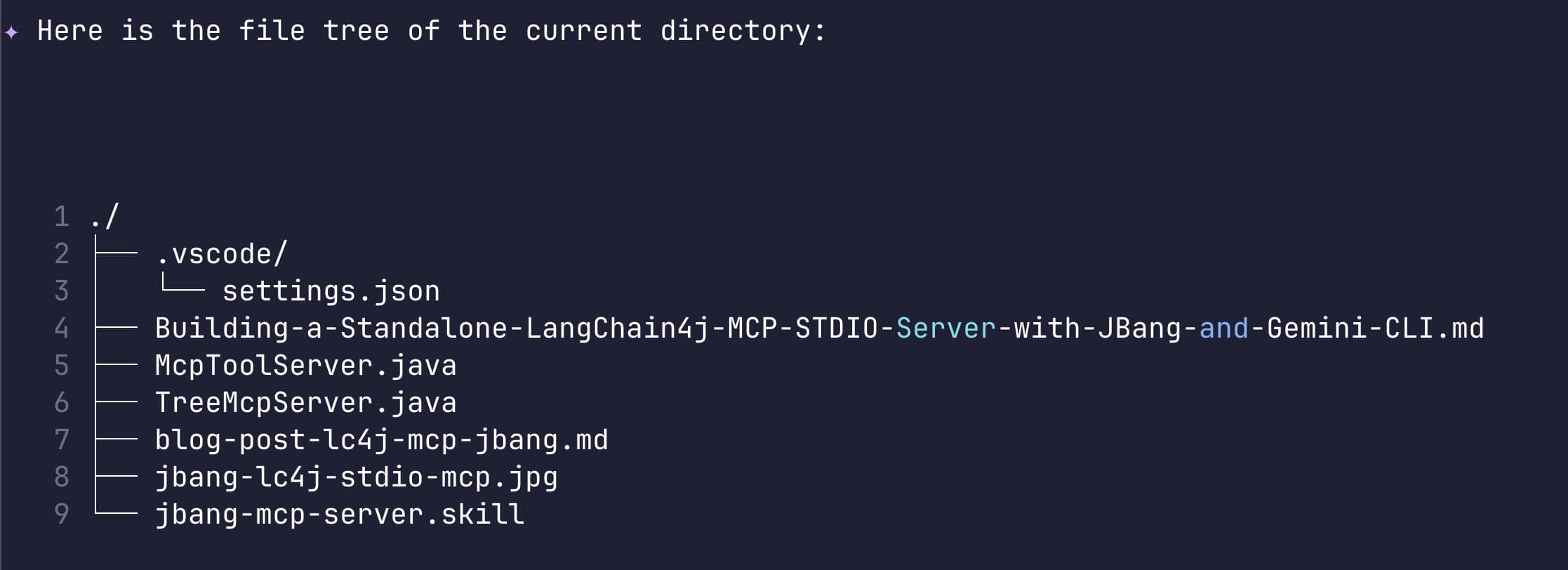
With the compilation issues resolved, the Gemini CLI immediately recognized the newly registered file-tree MCP server.
When asked to “Show me a file tree of the current directory,” the CLI autonomously invoked our Java tool:
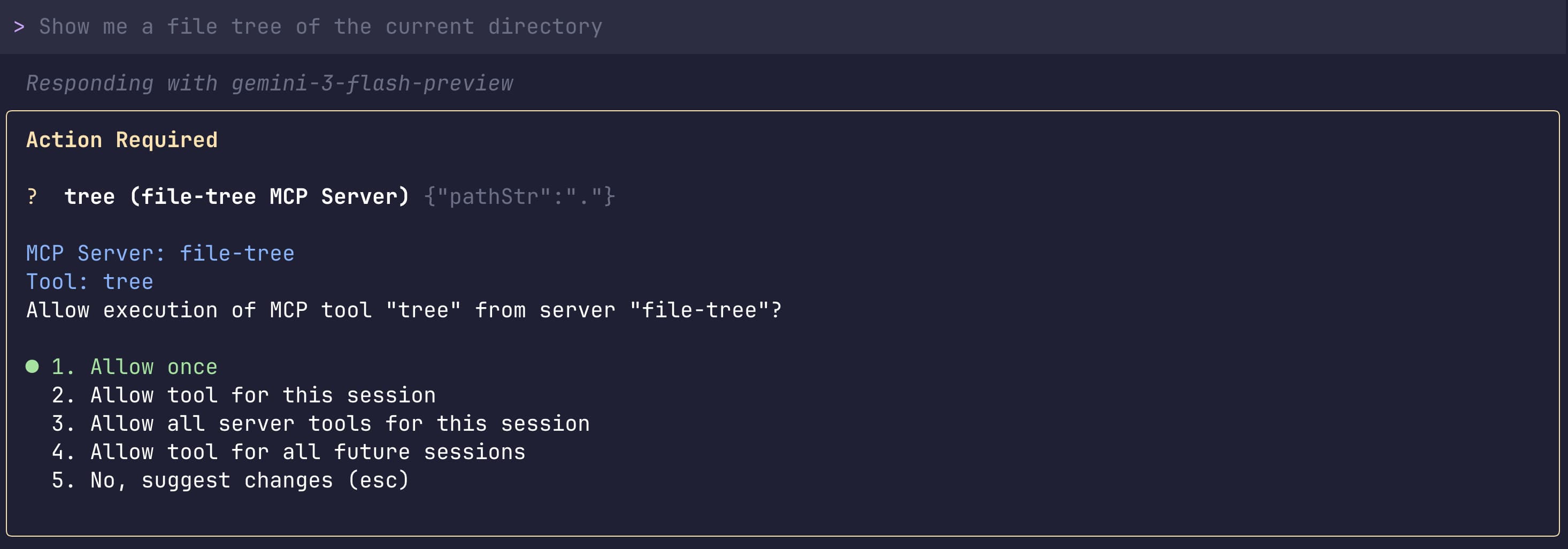
…and returned a clean, formatted representation of the workspace directly in the chat:
This workflow — using an AI assistant to build a skill, which in turn builds a tool that extends the assistant itself — is a powerful demonstration of how quickly we can iterate and expand our development capabilities using standard Java tools like JBang and LangChain4j.
Conclusion
Agent skills are a powerful way to automate boring, repetitive work. Instead of manually scaffolding boilerplate code every time you want to create a new MCP server (or any other task), you can delegate that task to an AI agent — and then automatically package what you learned into a reusable skill that you can even share with others.
What’s particularly interesting is how the Gemini CLI agent creation skill works as a bridge between exploration and automation. During my interactive session with Gemini CLI, I experimented with building MCP servers, discovered the patterns, and hit challenges that I solved on the fly.
Rather than keeping that knowledge locked in chat history, the agent creation skill let me capture and summarize
everything I had learned — the best practices, the gotchas, the template structure — into a single, reusable SKILL.md file.
Now, what took me a session of trial-and-error can be replicated instantly by anyone (or by future me) with a single skill invocation.
They turn ad-hoc experimentation into systematic, shareable automation!
If you want to learn more about agent skills, be sure to check this great article from my colleague Daniela, who used skills to turn a repetitive task into a more automated workflow.