
Fixing AI Slop with a Skill in Gemini CLI
We all recognize AI writing when we see it. As language models get used for everything, their specific tics are everywhere. People call this “AI slop”. The grammar is fine, but the text is boring, repetitive, and lacks any real voice.
A site called tropes.fyi tracks these patterns. It lists the exact words and structures that give AI away. You’ll see callouts for overused adverbs like “deeply” and “arguably,” the dreaded “delve” family, and structural crutches like “It’s not X, it’s Y.”
I wanted a way to automatically fix these issues in my own generated text.
So, I built a deslopify skill for Gemini CLI.
How I built it
Gemini CLI has a built-in skill-creator that handles the boilerplate.
I just asked the CLI to create a new skill, and it generated the folder structure and a SKILL.md file.
It took as reference the Markdown file shared by tropes.fyi with all the typical elements of AI sloppiness.
The SKILL.md file tells the agent how to behave.
I wrote a short workflow instructing the agent to read the user’s text, cross-reference it with the anti-patterns from tropes.fyi, and rewrite it.
The goal is just to make the text sound like a normal person wrote it.
Here’s what the skill generated by Gemini CLI looks like:
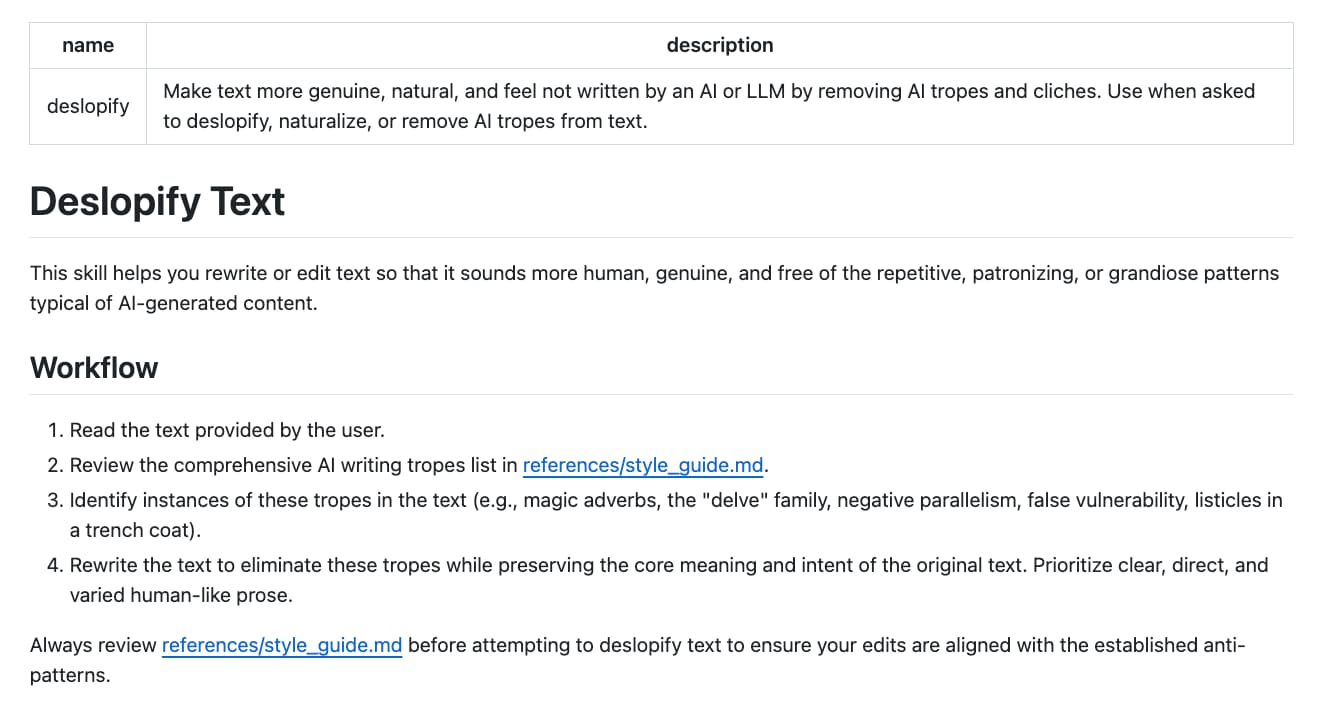
The structure of the skill is just this SKILL.md file, and a references/ directory containing the style guide:
deslopify/
├── SKILL.md
└── references/
      └── style_guide.md
I didn’t even have to modify the generated SKILL.md as it did the job perfectly, and was clear out of the box.
Trying it out
The code is up on GitHub: glaforge/deslopify.
You can install it directly from the repo in Gemini CLI:
gemini skills install https://github.com/glaforge/deslopify
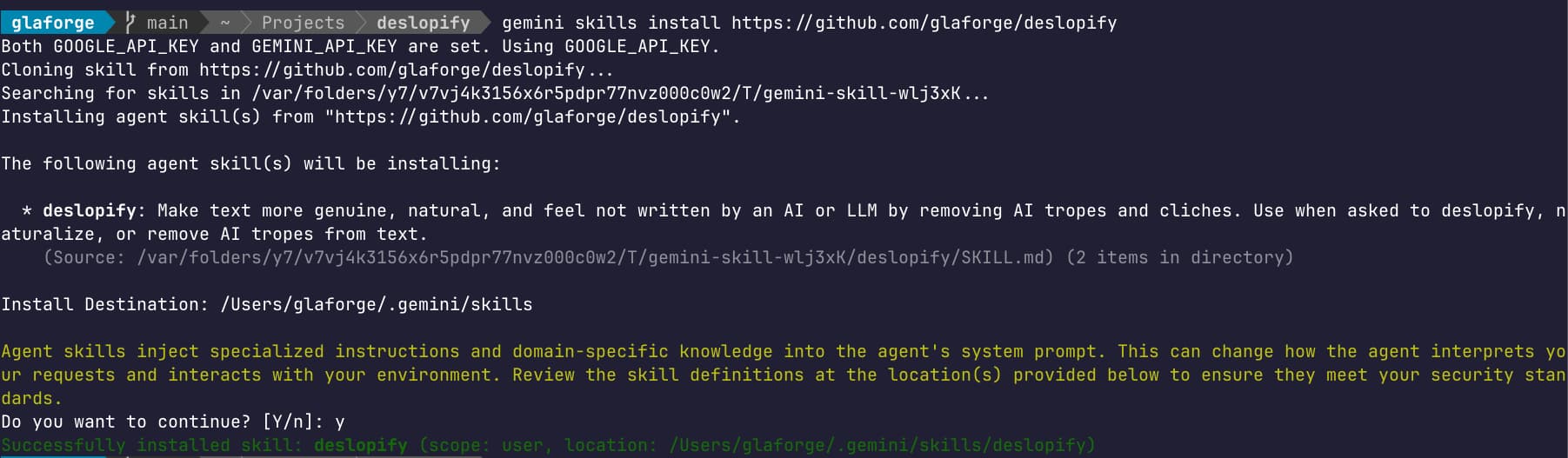
Then reload your interactive session:
/skills reload
Because the skill format is just a directory with a SKILL.md file and some assets, you can actually use it in any AI agent that supports the standard.
Be sure to check the syntax and command to install it in your favorite agent.
And feel free to read more about agent skills to understand their structure.
Once it’s loaded, you can ask Gemini CLI (or your preferred agent tool) to clean up your text:
"Deslopify this article: [URL]""Naturalize this draft: [paste text]""Remove the AI slop from my README.md file."
The agent will strip out the pompous phrasing and weird structural tics, leaving you with something far more readable.
If you were wondering, yes, I generated a good chunk of this blog post from my session in Gemini CLI when creating the deslopify skill!
I went through each and every sentence and made some light edits or sometimes added a paragraph or extra clarification sentence.
I also added all the screenshots, added missing links.
But the skill worked, and for quickly sharing details about a little project like this, this skill came in handy to avoid the blank page syndrome.
Hopefully, you won’t feel bored reading it!