
Building my Comic Trip agent with ADK Java 1.0
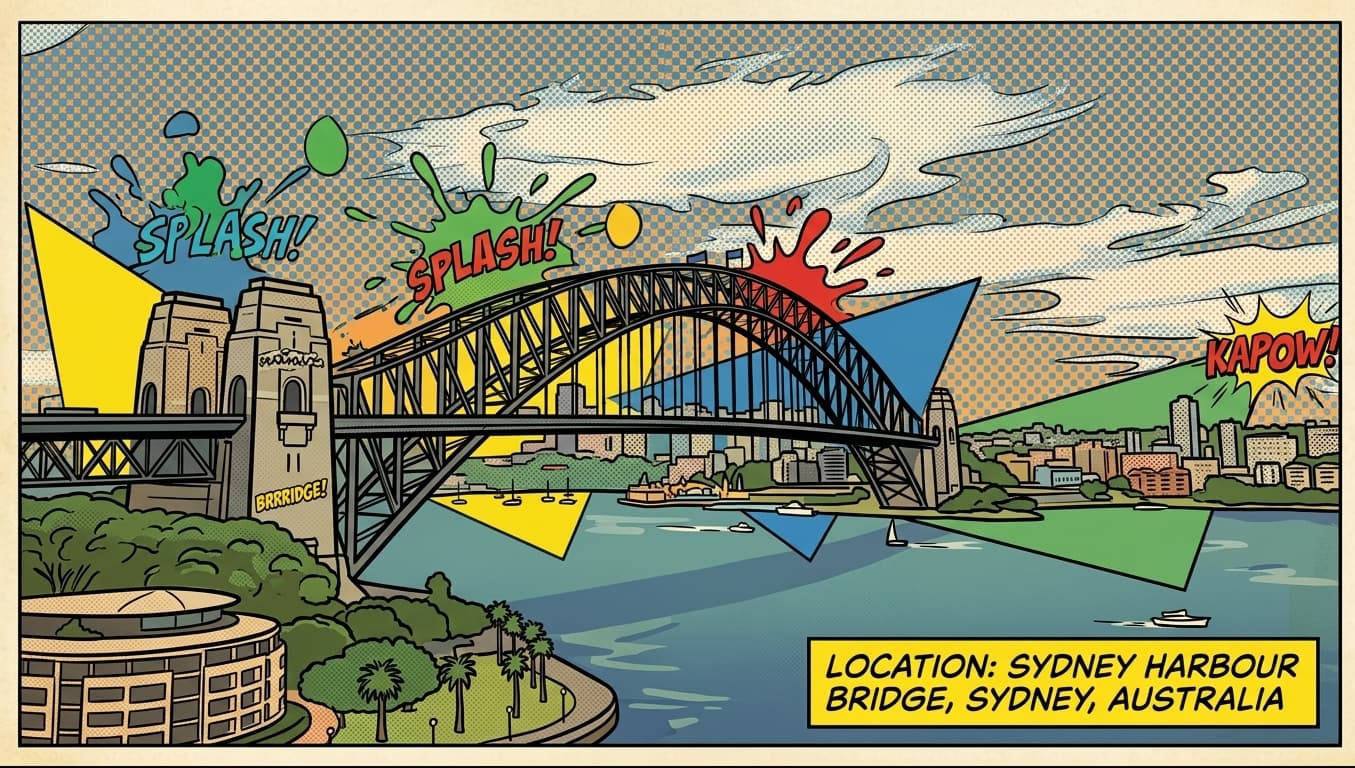
I’m happy to echo here the release of ADK for Java v1.0, Google’s Agent Development Kit framework to build AI agents in Java. I spent a lot of time on this project. I also wrote the announcement blog post on the Google for Developers blog. And I’ve recorded this YouTube video highlighting some of the new features of the framework, in which I’m demonstrating some of them via an app I built: my Comic Trip agent (pun intended).
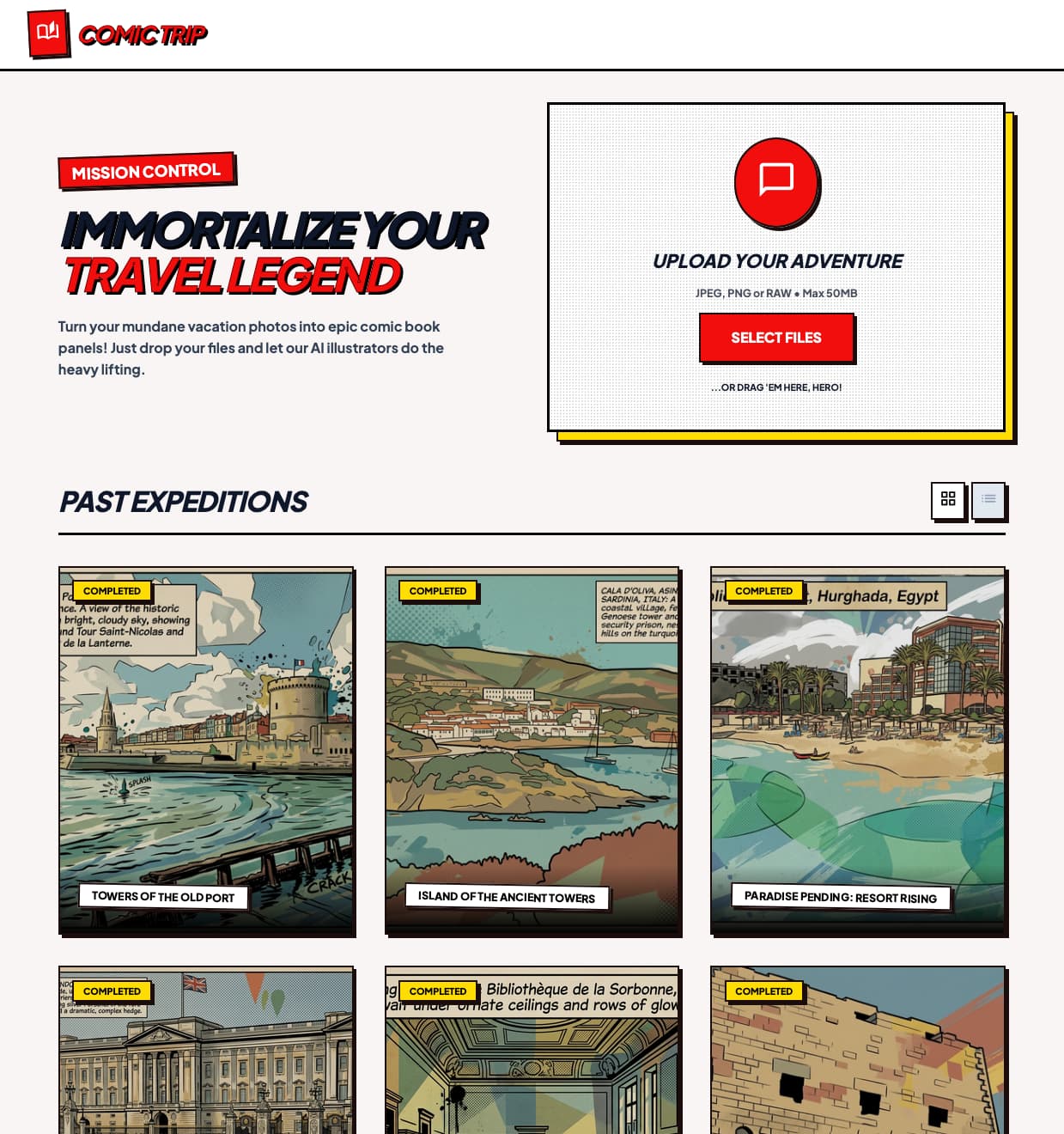
The Comic Trip agent is a fun little application that transforms your travel photography into a vibrant, pop-art comic strip experience. Beyond the visual style, it also guesses locations (thanks to Gemini) and enriches each “panel” with nearby points of interest (via Google Maps integration).
For a recap and a demo of what this application is capable of, please check out the YouTube video:
This project is a showcase for the Agent Development Kit (ADK) for Java 1.0, demonstrating how to build multi-agent systems with:
- smart models — Gemini and 🍌 Nano Banana,
- ADK tools — 🔍 Google Search, 🗺️ Google Maps,
- ADK services — Google Cloud Storage artifact service, and
- cloud-native storage integration — Google Cloud Firestore database.
If you’re interested in seeing the source code of this application, please have a look at the repository on GitHub. The repository also explains how to build and deploy this application on Google Cloud Run. And of course, you can run it locally on your machine as well.
Powered by ADK for Java 1.0
ADK for Java 1.0 makes it easier to build and coordinate AI agents. In this application, I leverage several key concepts:
App & Plugins: The entire agent hierarchy is encapsulated within an
App. We use theLoggingPluginfor seamless execution observability and debugging. Via thisAppshell, the logging plugin is actually applied to all the sub-agents involved in the multi-agent system. No need to configure each sub-agent individually.Runners & Sessions: An
InMemoryRunnermanages the execution flow, while anInMemorySessionServiceensures that the context for each user’s trip is isolated and persistent throughout the multi-step process.Specialized Agents: We utilize a variety of agent types, including
LlmAgentfor LLM-based tasks,SequentialAgentfor step-by-step flows, andParallelAgentfor running multiple agents in parallel.
Multi-Agent Architecture
The core intelligence of the Comic Trip agent is driven by the following agent hierarchy:
picture_analyzer_agent(Gemini 3 Flash): The entry point of our flow. It analyzes the uploaded photograph to extract a detailed description and identify the location. It’s impressive to see how good Gemini is at guessing the location of a landmark globally!poi_and_comic_flow(Parallel Execution): Once the context is established, two specialized agents run in parallel:comic_illustrator_agent(Gemini 3.1 Flash Image): This multimodal agent (also known as 🍌 “Nano Banana 2”) transforms the original image into a pop-art masterpiece.points_of_interest_agent(Gemini 2.5 Flash): Equipped with theGoogleMapsTool, it searches for nearby attractions based on the identified location, adding depth to the travel experience.
To configure the Google Maps integration, you just need to add the .tools(new GoogleMapsTool()) call to your agent definition:
LlmAgent poiGoogleMapsAgent = LlmAgent.builder()
    .name("points_of_interest_agent")
    .model("gemini-2.5-flash")
    .instruction("""
        Given the location in:
        {description_and_location}

        Please list points of interest (POI)
        in the area no further than a kilometer away
        using the `google_maps` tool.

        Each POI should have a name and a description.

        Don't mention distances in your response.
        And don't start with introductory text for the list.
        """)
    .tools(new GoogleMapsTool())
    .outputKey(OUTPUT_KEY_POINTS_OF_INTEREST)
    .build();
The entire process is orchestrated by a SequentialAgent named main_flow, which strictly orders the initial analysis before triggering the parallel phase.
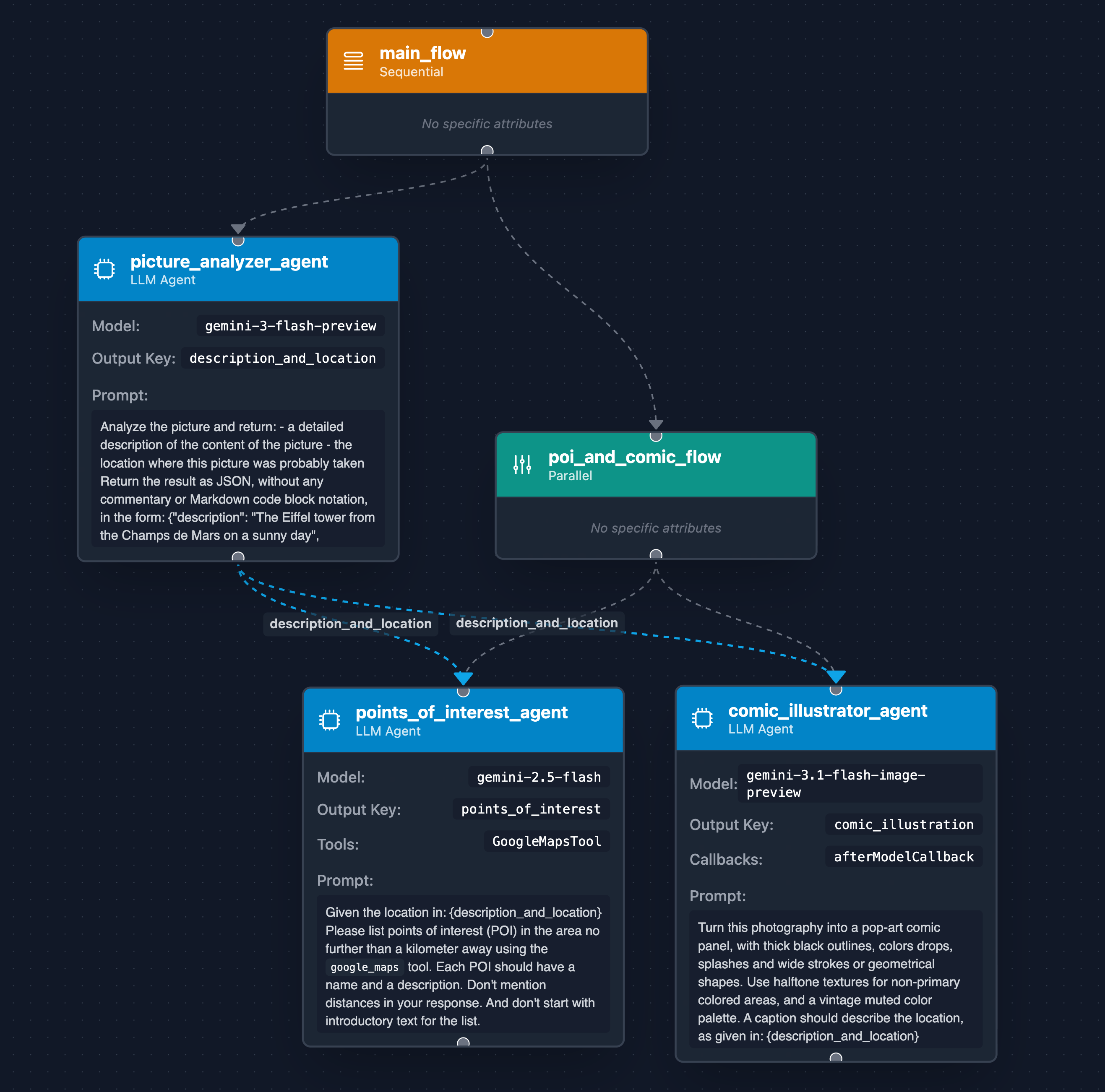
The above diagram was generated by a tool that I vibe-coded a while ago, that takes your multi-agent source code, and creates diagrams to visualize the flow of agents and their different sub-agents.
The Visuals: Multimedia Generation and Artifacts
Generating a high-quality comic panel is just the first step. ADK 1.0 handles the resulting multimedia artifacts as well.
The comic_illustrator_agent uses an afterModelCallback to intercept the generated image bytes.
These bytes are then persisted using the GcsArtifactService, which automatically handles the upload to a Google Cloud Storage bucket.
This integration ensures that generated media is stored and is easily accessible via public URLs (for the frontend):
gs://comic-trip-picture-bucket/comic_trip_app/comic_trip_user/{tripId}/{imageId}.png/0
The code in the callback goes through the Content and Parts to find parts that contain the generated image (in an inlineData field),
and we save it as an artifact, via the saveArtifact() method of the callbackContext:
.afterModelCallback((callbackContext, llmResponse) ->
    Maybe.fromOptional(llmResponse.content()
        .flatMap(Content::parts)
        .stream()
        .flatMap(List::stream)
        .filter(part -> part.inlineData().isPresent())
        .findFirst()
        .flatMap(part -> {
            String imageId = generateId();
            callbackContext.saveArtifact(imageId + ".png", part)
                .blockingAwait();

            return Optional.of(llmResponse.toBuilder()
                .content(Content.fromParts(Part.fromText(imageId)))
                .build());
        }))
Backend Architecture: Quarkus & Cloud Services
The application’s web backend is built with the Quarkus framework, and deployed on Google Cloud Run. It also serves the frontend assets.
When a user uploads a batch of images, the MissionControlResource receives the multipart request.
To ensure maximum throughput, it uses Java 21 Virtual Threads to run the ComicTripAnalyzer agent for each image in parallel.
As you might notice, I didn’t use a ParallelAgent here, but let the Quarkus controller handle the parallelization for me.
An ADK parallel agent makes sense when you have a known discreet set of sub-tasks to run in parallel,
but in my case, I don’t know in advance how many images I’ll receive.
One approach, though, could be to create a custom sub-class of BaseAgent to handle the fan-in / fan-out approach
in the agent graph instead of at the level of the web controller.
While the images live in GCS, the trip’s metadata and enriched details (descriptions, POIs, and image links) are stored in Google Cloud Firestore. This saving action is also triggered at the web controller level, once all the agents have run through each image to process.
Frontend: Vibe-Coded with Stitch and Antigravity
The user interface of the Comic Trip agent was designed by Google Stitch and implemented using Antigravity.
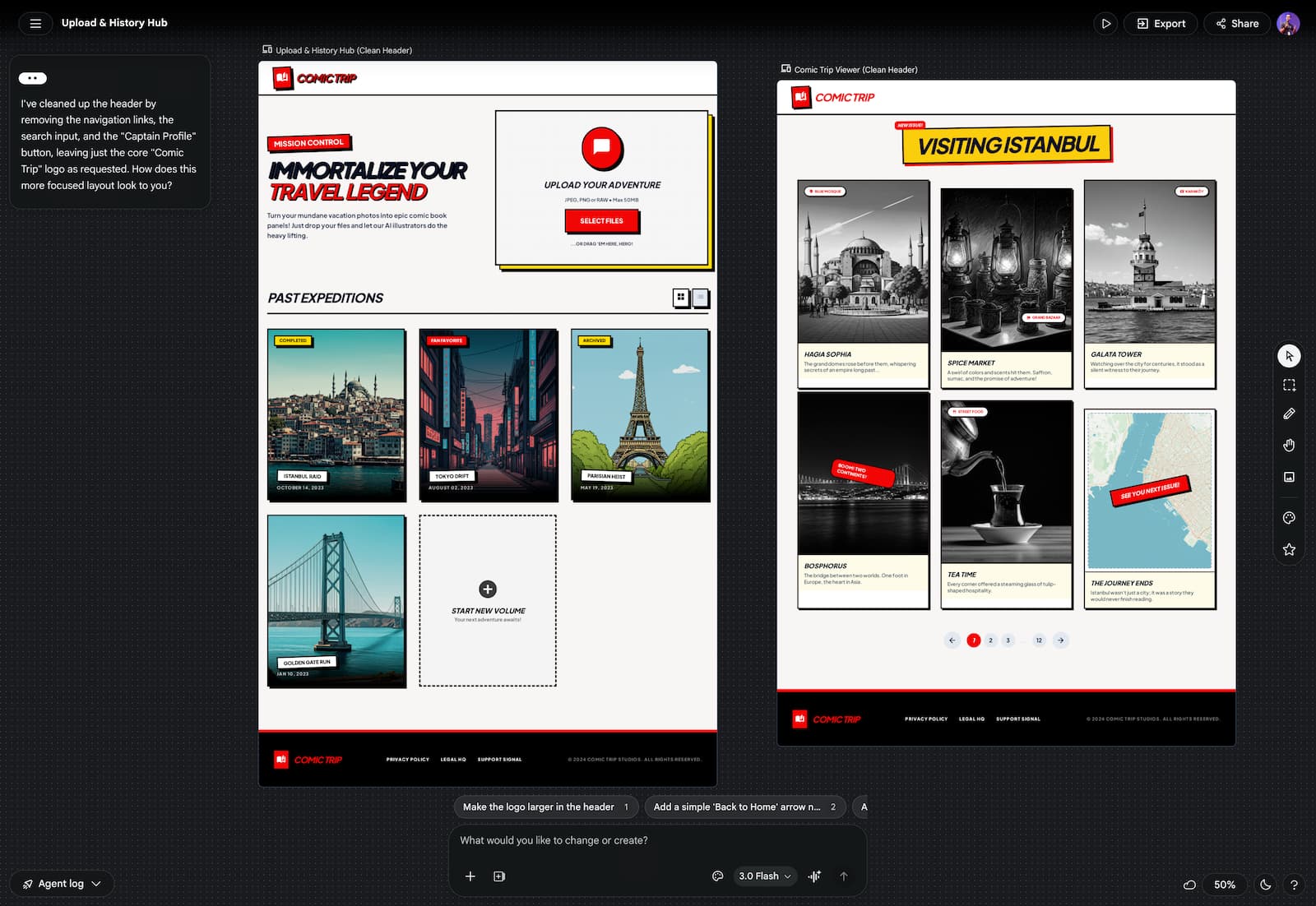
The frontend interacts with the backend via a simple REST API.
Images are sent as multipart/form-data, and the backend returns a comprehensive JSON response, after reading the metadata from Firestore.
The frontend then dynamically renders the “Comic Strip” view, pulling the comic-styled illustrations directly from the GCS bucket URLs.
What’s next?
The Comic Trip app shows that you can build sophisticated, multi-agent tools without having to worry about low-level state or orchestration. ADK for Java 1.0 handles the plumbing, so you can focus on defining how your agents behave and what tools they use.
If you’re ready to start building:
- Poke around the source code for Comic Trip.
- Check out the video for a deep dive into ADK 1.0 features.
- Read the official announcement for more context.
- Grab the Maven template to bootstrap your own agent.
Happy building! 🤖