
Of Skills and Loops with AI Assistance
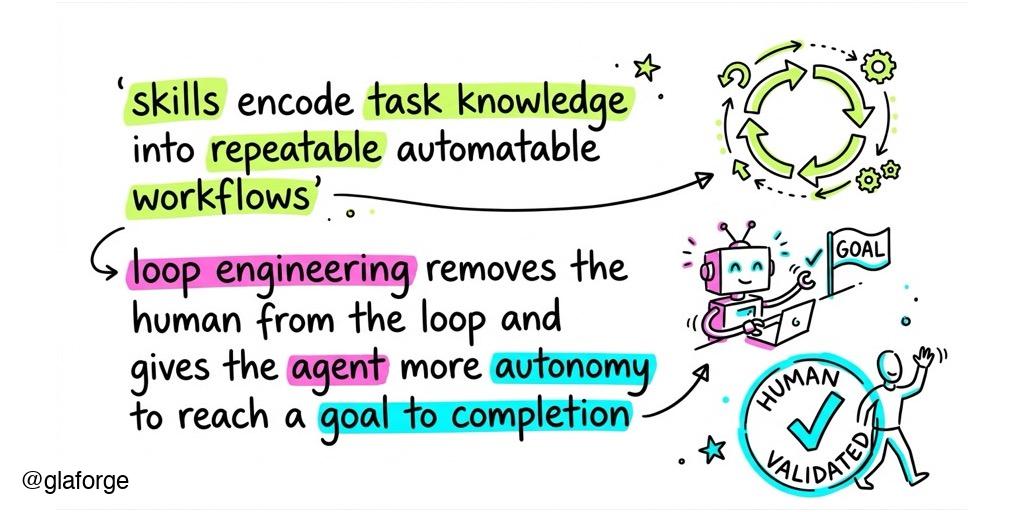
For the past few weeks, a lot has been written and said about Loop Engineering, and we’re seeing an explosion of Agent Skills out there for various tasks. These concepts are trendy, but how do they actually translate into day-to-day productivity?
Today, I want to testify with a concrete use case where skills and loops helped me become significantly more productive: authoring Google Codelabs.
About Codelabs
For those who might not be familiar, Google Codelabs are guided, hands-on coding tutorials that walk developers step-by-step through building an application, integrating an API, or learning a new technology. They are great educational resources, but crafting a high-quality one is far from trivial, and takes time.
The Codelab Authoring Process and its Bottleneck
Typically, my process starts long before I actually write the codelab. First, I accumulate experience by experimenting with a technology, writing code to test how things work, and building something useful. Then, I document my discoveries by writing articles about how I did it.
Once I’ve gathered enough material (usually around two or three articles on a specific topic) I use that as the foundation for an actual codelab. Because it’s an adaptation of this previously authored raw material, I never start from zero.
However, even with all this base material and code already on hand, molding it into a proper codelab is a massive bottleneck. It still typically takes me about two full days of manual work! You have to transform the raw content into a logical progression flow that builds on previous steps, adhere to strict syntax and conventions, write comprehensive explanations, and meticulously detail every single instruction.
Recently, I decided to enlist the help of my AI coding assistant, Antigravity. By pointing Antigravity to the articles I had already written about the codelab’s topic, and providing links to the codelab authorship documentation (which details the specific Markdown syntax, structure, and frontmatter required), the AI assistant was able to craft a solid first draft.
I then iterated a bit to finalize the details, polish the presentation, and add illustrations. The result? A task that used to take me two days was reduced to about two hours.
Encoding Knowledge into Agent Skills
While reducing two days of work to two hours is fantastic, I quickly realized a new problem. If I wanted to create another codelab, I had to do the whole dance again: steering the agent, providing the same resources (the authoring guide), and correcting the same structural mistakes. That’s repetitive work.
Fortunately, Antigravity allows you to create an Agent Skill based on a successful session.
I took the knowledge, experience, and steering from my first successful codelab authoring session and encoded it right into the instructions of a SKILL.md file.
By taking things to this “meta” level (creating, installing, and reusing that skill) my next codelab only took an hour instead of two! The specific details and conventions were already well-ironed out thanks to the knowledge encoded directly in the skill.
The Validation Problem
We produced content quickly, which is great, but does that mean the actual instructions are completely accurate? Do the code snippets compile fine and run perfectly? Not necessarily.
LLMs still hallucinate to some extent, or they might simply not know the specific underlying library we’re using in the codelab, and make errors by missing some import statement or forget some key instructions.
Typically, this is where the human in the loop gets involved. You have to read everything again carefully and manually execute all the steps to replicate the entire codelab precisely.
But what if we asked the AI agent to help us with that validation step too?
Enter Loop Engineering
This is where Loop Engineering shines. The idea is to ask your AI assistant to go through the codelab itself. The agent will be the first beta-tester of your codelab!
I instructed the agent to:
- Read the instructions carefully (and fix them if they are unclear).
- Compile all the code snippets until there are no compilation errors.
- Run the code to verify that the expected outcome is actually produced.
With Antigravity, you can simply instruct it to do so by prompting,
but you can also take advantage of the /goal command to give an explicit goal to the agent,
and to let it know what done actually means for this task.
The AI agent keeps looping through this process (compiling ➡️ running ➡️ fixing) until it’s really done. It ensures the instructions are clear, the code compiles perfectly, and the execution yields the expected results.
At the end of this automated loop, you have a codelab that is practically ready to ship!
Of course, I don’t stop there. I always want to stay involved in that final approval loop. Before deploying any codelab to production, I go through the lab manually at least once to be 100% certain everything is flawless.
Even the deployment process to Google’s Codelab infrastructure is automated and encoded in the skill we created earlier, so I don’t have to remember all the specific deployment commands myself.
Real-World Results
This combination of skills and loops is exactly how I’ve been creating my recent codelabs:
- I created my first codelab, Build Multimodal Apps and Custom Managed Agents with the Gemini Interactions Java SDK, using Antigravity and manual steering.
- I then asked Antigravity to create a reusable Codelab authoring skill based on that session.
- I used that new skill to rapidly generate my second codelab, Build Agentic AI Applications in Java with LangChain4j and Google GenAI.
I could probably extend my skill to formally incorporate the loop engineering part (having the agent automatically run through the codelab, check instructions, compile, and execute). I haven’t done this yet because not all codelabs are code-heavy (some are more UI-driven “click-o-dromes”) but for my typical developer-focused codelabs, expanding the skill or creating a dedicated “codelab validation” skill would make a lot of sense.
Conclusion
Ultimately, the goal of Skills is to encode repetitive tasks that would otherwise require humans to tirelessly steer the AI agent in the right direction.
Loop Engineering, on the other hand, is about removing the human from the middle of the process, the loop. It allows the agent to work iteratively and autonomously, so the human is only required at the very end to validate that everything is perfect and put their final stamp of approval on the finished product.