
Selfware: Building my own text editor without knowing Swift
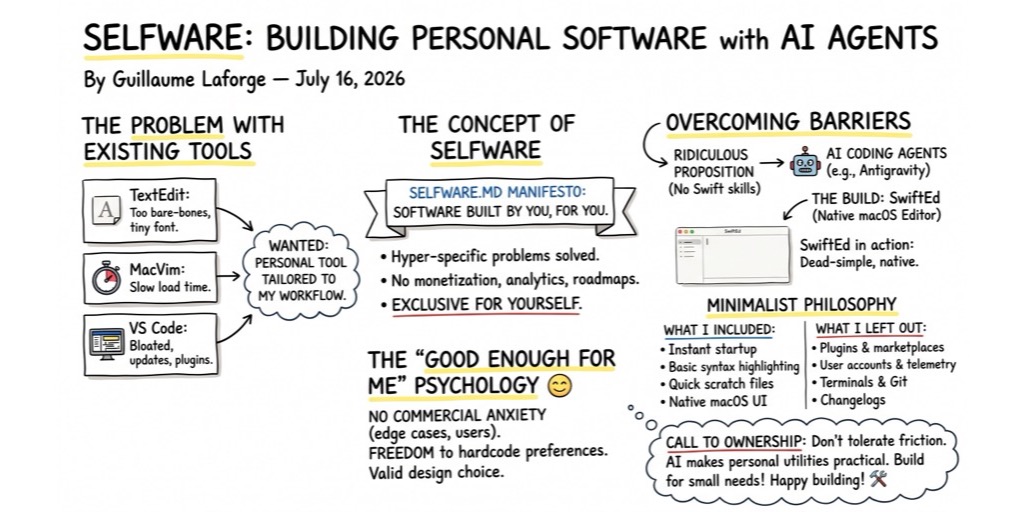
I constantly use a text editor to jot ideas, draft blog posts, or collate documents, but my usual options always felt a bit off. TextEdit is too bare-bones and defaults to a tiny font I can barely read. MacVim takes a few seconds too long to load. VS Code requires me to dismiss plugin updates and changelogs before I can even start typing.
I realized I didn’t want another bloated app from a big tech company. I wanted a personal tool tailored exactly to my workflow.
The Concept of Selfware
I recently learned there’s a word for this: Selfware.
Selfware is software you build exclusively for yourself. It lacks monetization, analytics, or feature roadmaps, existing solely to solve your own hyper-specific problems without worrying about other users.
I’m not sure exactly who coined the term itself, but there’s this website about the notion of selfware.
Selfware.md is a kind of manifesto about the idea: “Software built by you, for you.”
In the past, building a custom macOS application just to edit text would have been a ridiculous proposition for me. I had never written a single line of Swift in my life. The learning curve to navigate Xcode, Apple’s APIs, and text rendering engines would have taken me weeks, or more probably months. It wouldn’t have been worth the effort, energy, investment and time. At least, not if I don’t want to become a macOS developer 😃
But AI coding agents like Antigravity removed that barrier. With the agent acting as my pair programmer, I could focus entirely on describing the application’s behavior while the AI handled the Swift syntax and Apple APIs.
Building My Own Tool: What I Kept, What I Threw Away
Antigravity and me built an app called SwiftEd (like Swift editor… and yes, I came up with the name myself, it’s not AI generated, maybe I should have used AI to find a better name 😃).
It is a dead-simple, native macOS text and code editor.
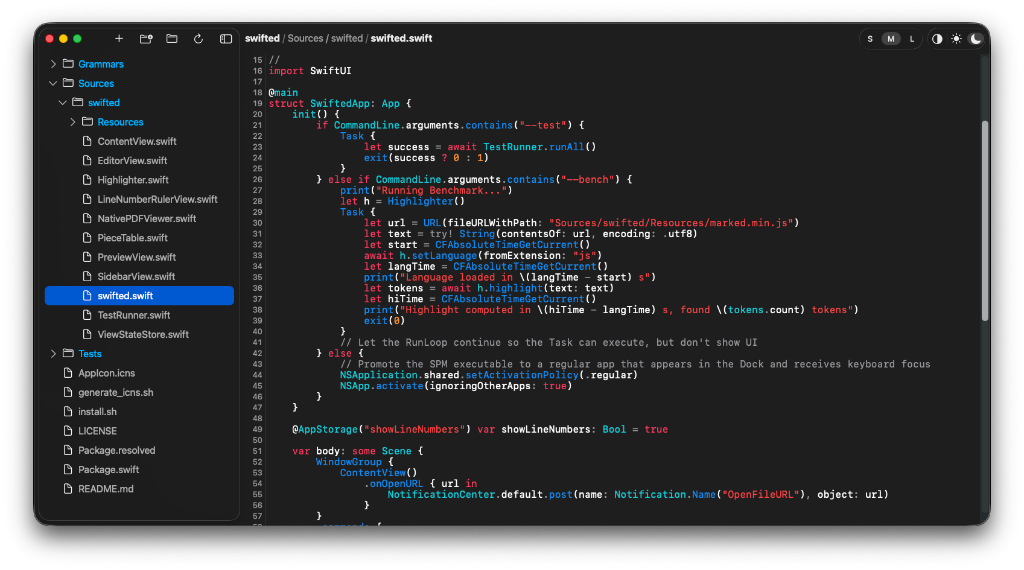
I’ve pushed the code on this GitHub repository, if you want to have a look, or build it yourself and play with it, in case it’d fulfill your needs!
When you build selfware, you get the complete freedom to be incredibly picky about what you want to support (in terms of features, capabilities, etc)
Here is the exact minimalist philosophy I applied:
What I included:
- Instant startup time to get straight to typing.
- Basic syntax highlighting for readability.
- A quick shortcut to open scratch files without a file-save dialog.
- A standard, native macOS UI.
What I left out:
- Extension marketplaces and plugin systems.
- User accounts, telemetry, and usage statistics.
- Built-in terminals and Git integration.
- Changelogs and version history screens.
There are many more features, more or less complex, that my app will never implement. And that’s fine.
The “Good Enough for Me” Psychology
When you build commercial software or public open-source tools, there is a constant, underlying anxiety. You worry about edge cases, handling weird environment configurations, backward compatibility, and clean architectural patterns. And you also worry about what your users will say, or want!
Building selfware removes that pressure. Hardcoding your favorite font size or color scheme directly into the source code becomes a valid design choice rather than a bad practice. You don’t have to manage an issue tracker or accommodate obscure workflows for strangers on GitHub.
If the app crashes when opening a massive log file, you can just accept that limitation and use a different tool for that specific task. The software only needs to be good enough for your own daily use.
A Call to Ownership
We often tolerate minor annoyances in the software we use because we assume we have no other choice. However, AI coding agents like Antigravity make it practical to build personal utilities that would have previously required too much time to justify.
While you might not use this approach to build complex enterprise systems, it works perfectly for small, custom needs—whether for yourself, your family, or a local club.
If you regularly encounter friction in your daily computer usage or wish a repetitive task had a dedicated button, consider writing a small tool to solve it instead of searching for a pre-existing app. The most effective software is often the one you build specifically for your own workflow.
Happy building! ⚒️