
Running Agents Powered by Local Gemma Models with LiteRT-LM and the Antigravity Java SDK
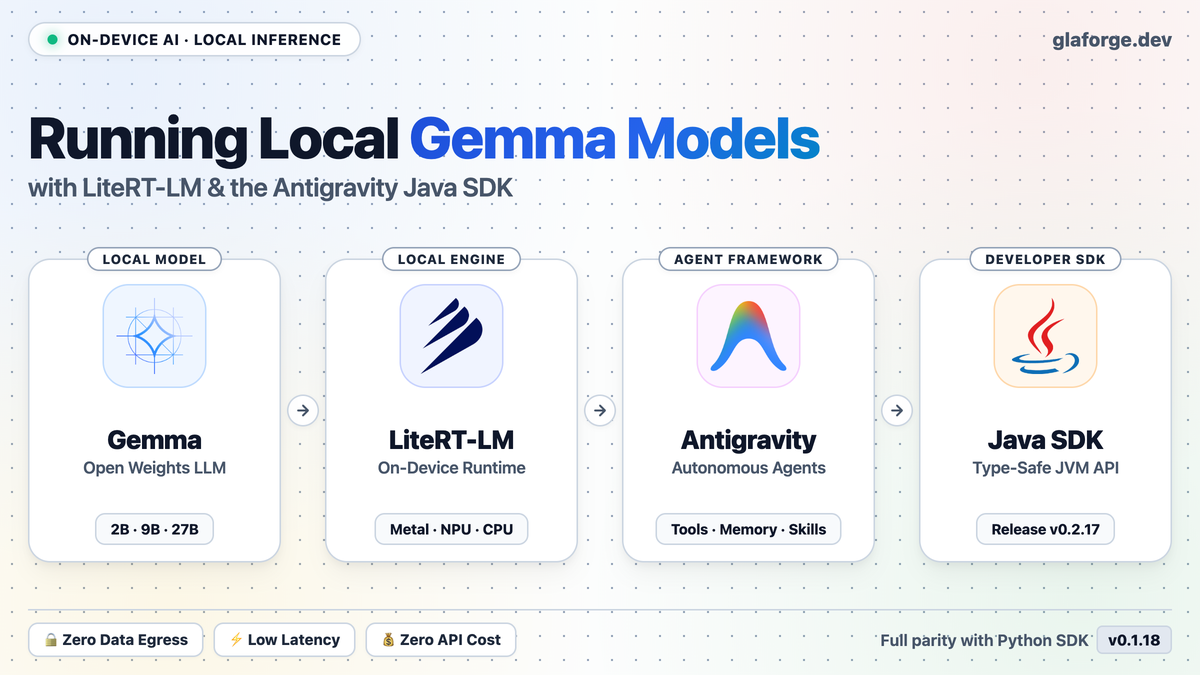
A few months ago, I introduced the unofficial Antigravity SDK for Java. My goal was simple: enable enterprise Java developers to build and run autonomous AI agents in Java, backed by the same engine that powers Google Antigravity.
The Antigravity team published the Python Antigravity SDK v0.1.18 release notes. And the Google Developer Blog published an article titled Introducing support for local AI models in the Antigravity SDK.
The ability to run models locally on-device without cloud API dependencies, and without paying token costs for high-frequency tasks, sounded very appealing, right? 😃
I updated the Java SDK to bring it to parity with upstream version 0.1.18, and I just published Antigravity SDK for Java v0.2.17.
In this post, I will summarize what changed in the SDK, and show you step by step how to run a local Gemma model using LiteRT-LM and connect to it from Java.
What Is New in Java SDK v0.2.17
To keep parity with the Python SDK and its underlying Go harness binary (localharness), I updated several components:
- Synchronized native harness binaries: Upstream releases embed a Go binary called
localharness. I updated the packaged binaries to0.1.18across all six supported platforms (linux-x86_64,linux-aarch64,osx-x86_64,osx-aarch64for Apple Silicon,windows-x86_64, andwindows-aarch64). - Subagents with dedicated model targeting: In multi-agent setups, subagents can now specify their own model using
SubagentConfig.builder().model("gemini-3.5-flash-lite").build(). This lets you route smaller tasks to faster or cheaper models, while reserving larger models for planning. - Task scheduling tools: The SDK now includes built-in
schedule(for one-shot timers or recurring cron triggers) andmanage_tasktools, allowing background agents to manage long-running tasks. - Structured hook argument modification: Tool interception hooks can now inspect and rewrite tool arguments directly with
HookResult.allowedWithModifiedArgs(Map<String, Object>). - JSON Schema normalization: The SDK normalizes snake_case schema keywords into camelCase OpenAPI conventions (
minItems,maxItems,exclusiveMinimum), ensuring compatibility across model providers. - Evaluation preset: Added
AgentConfig.builder().eval()to configure standard autonomous benchmark settings with unlimited retries. - Local AI model support: Added
LiteRTAgentConfigandLocalOpenAIAgentConfigto run agents against local inference servers.
Why Run Local Models?
Cloud models like Gemini 3.8 Flash and Gemini 3.1 Pro are well-suited for high-level reasoning, planning, and broad general knowledge. However, running local models on your own machine offers some benefits in specific scenarios:
- Data privacy and compliance: Sensitive source code or proprietary data does not leave your local machine or private network.
- Offline capability: You can run tests, code formatting checks, or documentation queries without internet access.
- Zero API cost: Ideal for high-frequency or repetitive operations (such as running test assertions in a loop or linting files) where calling cloud APIs would accumulate cost.
- Deterministic low latency: No network roundtrips over the internet.
Step 1: Setting Up LiteRT-LM
LiteRT (formerly TensorFlow Lite) is Google’s runtime for on-device machine learning. litert-lm is the command-line tool and library designed to run language models efficiently on local hardware using GPU or NPU acceleration (such as Metal on Apple Silicon).
You can install litert-lm in a Python virtual environment:
python3 -m venv ~/.litert-env
source ~/.litert-env/bin/activate
pip install litert-lm
Step 2: Downloading a Gemma Model
Next, download an optimized Gemma model checkpoint from Hugging Face. For example, gemma-4-E2B-it-litert-lm is a compact instruction-tuned model:
# When accessing a gated model repository,
# make sure your token is available:
export HF_TOKEN="your_huggingface_token"

litert-lm import \
  --model-id litert-community/gemma-4-E2B-it-litert-lm \
  --output-dir ~/.litert-lm/models/gemma4-e2b/
Once downloaded, you can test it directly in your terminal:
litert-lm run --model-path ~/.litert-lm/models/gemma4-e2b/model.litertlm
On a Mac with Apple Silicon, LiteRT-LM leverages the Metal GPU backend directly.
Step 3: Starting the Local Server
litert-lm includes a built-in server that exposes OpenAI-compatible HTTP endpoints:
litert-lm serve \
  --model-path ~/.litert-lm/models/gemma4-e2b/model.litertlm \
  --port 9379
The server starts listening on http://127.0.0.1:9379 and serves the /v1/chat/completions endpoint.
Step 4: Connecting from the Java SDK
To use the new version in your Maven project, update your pom.xml:
<dependency>
    <groupId>io.github.glaforge</groupId>
    <artifactId>antigravity-sdk-wrapper</artifactId>
    <version>0.2.17</version>
</dependency>
In your Java code, configure an agent with LiteRTAgentConfig:
import io.github.glaforge.antigravity.Agent;
import io.github.glaforge.antigravity.AgentResponse;
import io.github.glaforge.antigravity.LiteRTAgentConfig;

import java.util.concurrent.TimeUnit;

public class LocalGemmaDemo {
    public static void main(String[] args) throws Exception {

        LiteRTAgentConfig config = LiteRTAgentConfig.builder()
            .modelPath("~/.litert-lm/models/gemma4-e2b/model.litertlm")
            .baseUrl("http://127.0.0.1:9379/v1")
            .modelName("gemma4-e2b")
            .lightweight()
            .instructions(
                "You are a helpful software engineering assistant.")
            .build();

        try (Agent agent = new Agent(config)) {
            AgentResponse response = agent.chat("""
                What is the difference between
                a Java record and a class?
                """)
                .get(45, TimeUnit.SECONDS);

            System.out.println(response.content());
        }
    }
}
The lightweight() preset turns off features that are unnecessary for smaller local models (such as web search or image generation), while preserving workspace access, tool execution, and policy checks.
You can also consume streaming tokens in real time as the local model produces them:
agent.chatStream("""
    Explain how virtual threads work in Java 21
    in three bullet points.
    """, chunk -> {
    if (chunk.textDelta() != null) {
        System.out.print(chunk.textDelta());
    }
}).get(45, TimeUnit.SECONDS);
Other Local Engines: Ollama, LM Studio, vLLM
If you already use Ollama, LM Studio, or vLLM, you can connect to them in the same way using LocalOpenAIAgentConfig:
import io.github.glaforge.antigravity.LocalOpenAIAgentConfig;

LocalOpenAIAgentConfig config = LocalOpenAIAgentConfig.builder()
    .baseUrl("http://localhost:11434/v1") // Ollama OpenAI endpoint
    .modelName("gemma4:e2b")
    .instructions("You are an assistant running locally via Ollama.")
    .build();
The Hybrid Approach: Cloud Planner, Local Worker
One useful architectural pattern is a hybrid setup:
- Use a powerful cloud model (like Gemini 3.8 Flash) to plan tasks, read user instructions, and make architectural decisions.
- Delegate repetitive sub-tasks to local models running via LiteRT-LM or Ollama: checking syntax, generating unit test scaffolding, or formatting output.
With the new SubagentConfig record in SDK v0.2.17, subagents can declare their own model endpoint, making this separation straightforward to implement.
Summary & Resources
With version 0.2.17, the Antigravity SDK for Java reaches feature parity with upstream Python SDK 0.1.18 and adds support for local on-device models.
Here are the links to explore further:
- Antigravity SDK for Java on GitHub
- GitHub Release v0.2.17
- Python SDK v0.1.18 Release Discussion
- Google Developer Blog: Introducing support for local AI models
- LiteRT Documentation
If you test local models with the Java SDK, feel free to report issues or share feedback on the GitHub repository.